Web Navigation
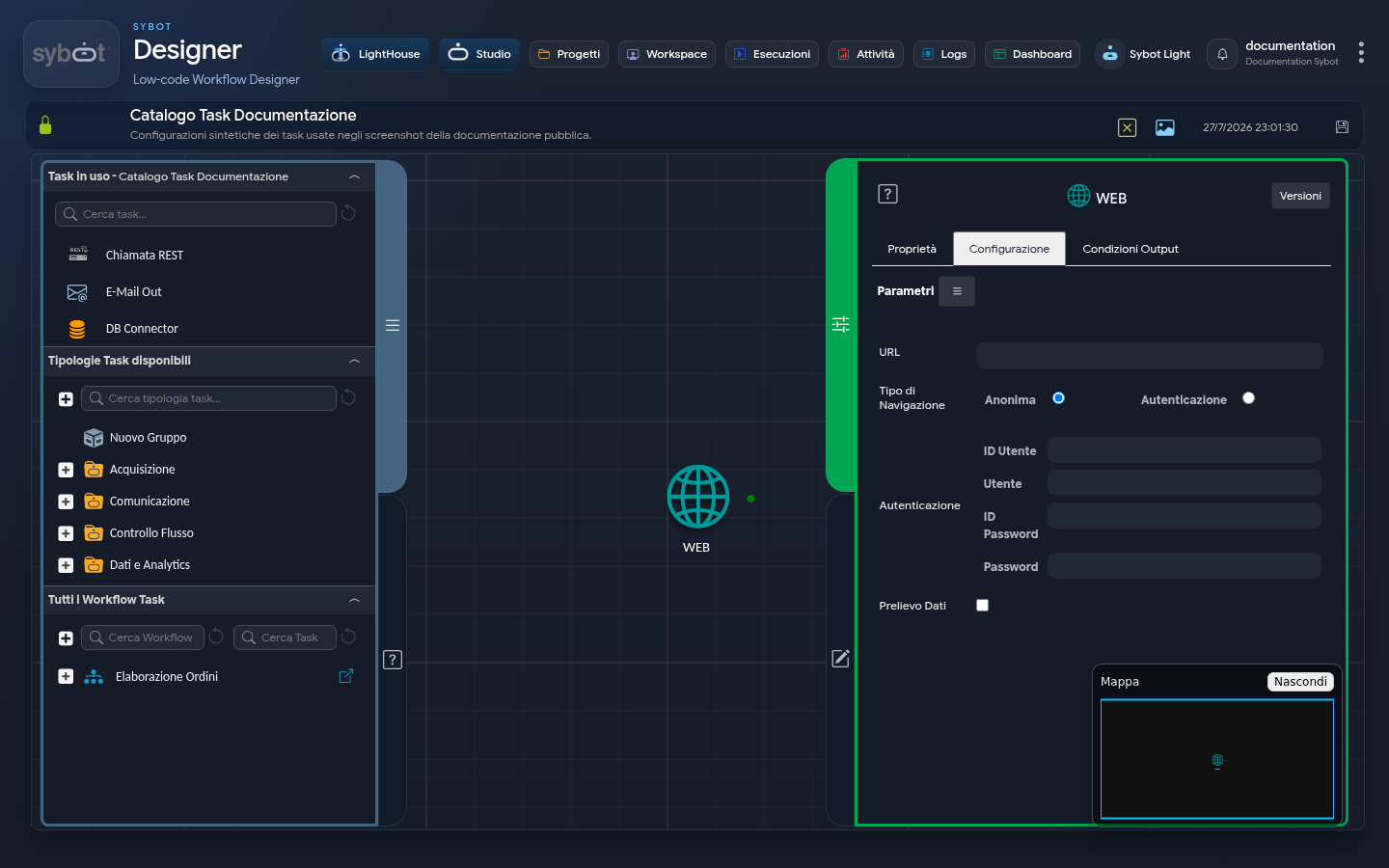
The Web Navigation task opens a page, can populate login credentials, and, if required, retrieves the content of a specific page element.
Configuration
| Field | Description |
|---|---|
| URL | Page to open. Dynamic workflow parameters are allowed. |
| Navigation type | Anonymous or authenticated. |
| User ID | Identifier of the page element that receives the username. |
| User | Username to populate. |
| Password ID | Identifier of the element that receives the password. |
| Password | Password to populate. |
| Data retrieval | Enables extraction of an element from the page. |
| Object type | Search for the element by ID or by ClassName. |
| Object name | Identifier or class of the element to acquire. |
Authentication fields appear only for authenticated navigation. Object-related fields appear when Data retrieval is enabled.
Usage
- Verify that the page is reachable and that its content is compatible with automation.
- Choose anonymous navigation or specify the form elements for login.
- To acquire data, inspect the page and identify a stable element via ID or class.
- Run the workflow with synthetic data and check the result in the logs.
The structure of a web page can change without notice. Prefer stable identifiers and plan for explicit handling of the case where the element is not found.
Results and security
When retrieval is enabled, the task produces the acquired content in the formats made available by the execution. Do not use this function to collect data for which you do not have the necessary authorisations.
Passwords and other sensitive data must not appear in the task name, shared output parameters, or subsequent workflow messages.