Authenticated REST calls
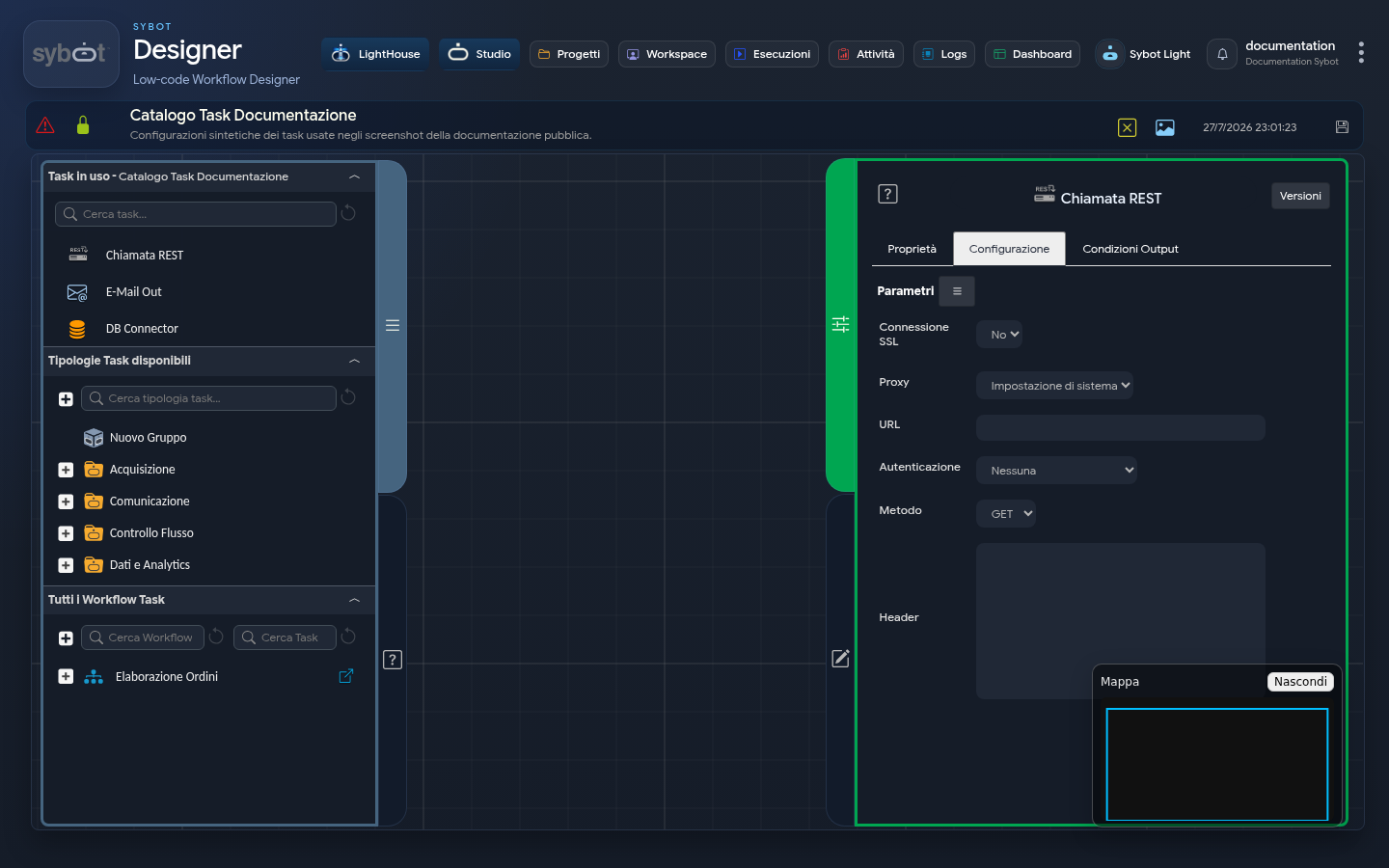
The Authenticated REST call task executes an HTTP request to an external service. It supports anonymous requests, Basic or Bearer authentication, custom headers, request body, and proxy.
Configuration
| Field | Description |
|---|---|
| SSL Connection | Indicates whether to use a secured connection. |
| Proxy | Uses system settings, no proxy, or a custom proxy. |
| Proxy address | Required only when choosing a custom proxy. |
| URL | Service address. Can contain dynamic workflow parameters. |
| Authentication | None, Basic, or Bearer. |
| User and Password | Credentials required by Basic authentication. |
| Token | Credential required by Bearer authentication. |
| Method | GET, POST, or PUT. |
| Header | JSON list of headers to send. |
| Body | Request body; not applicable for the GET method. |
Headers are represented as a list of strings:
[
  "Content-Type: application/json",
  "Accept-Language: it-IT"
]
Sybot parameters can be used in the body. In this example, values come from previous tasks:
string:{
  "documento": "#>document_name<#",
  "stato": "#>document_status<#"
}
Do not enter credentials directly into headers or body when dedicated authentication fields are available. Also, avoid reporting passwords, tokens, or sensitive content in task names and messages intended for logs.
Results
The task makes available:
- the response headers and body;
- the HTTP status code;
- the operation outcome;
- the structured execution summary.
Use the HTTP code and response content under the following conditions. A 2xx code normally indicates an accepted request, while 4xx and 5xx codes require handling the error defined in the workflow.
Verification
Initially execute the call with synthetic data and check the method, response code, and any diagnostic message in Logs. Sensitive data must not be copied into variables intended for notifications or public files.