Generate User View Report
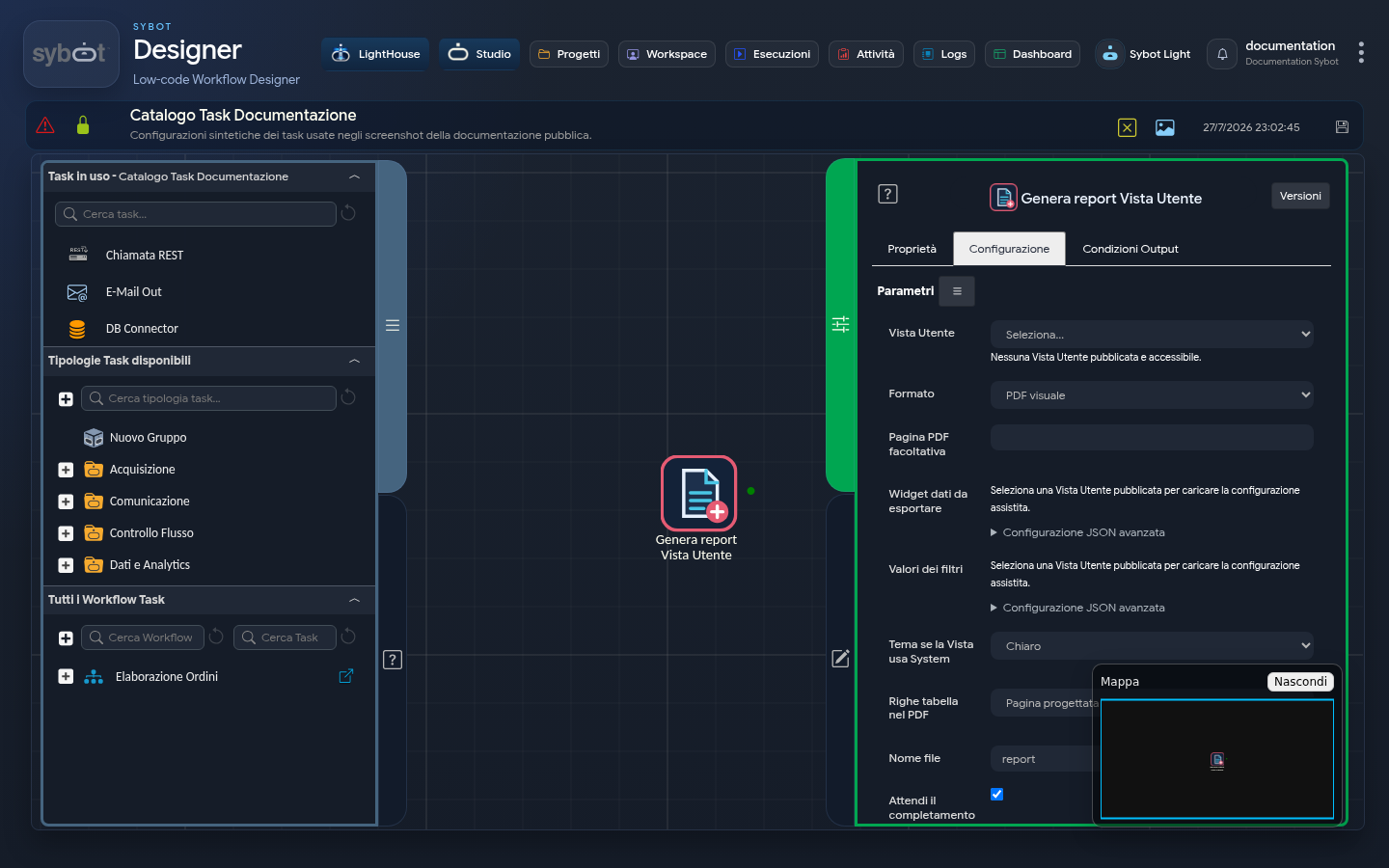
The Generate User View Report task creates a report from a published User View. The available formats are PDF, XLSX, and CSV.
The selector shows only published Views accessible to the user executing the workflow.
Configuration
| Field | Description |
|---|---|
| User View | Published view from which to generate the report. |
| Format | Visual PDF, multi-sheet XLSX, or CSV. |
| Page | Page of the View to represent in the PDF. |
| Data widgets | Tabular widgets to include in data formats. Only one widget is allowed for CSV. |
| Filter values | JSON object with the values to apply to the View filters. |
| Theme | Light or dark for visual representation. |
| Tabular data mode | Designed page data or all available rows. |
| File name | Report filename pattern. |
| Wait for completion | Waits for generation before proceeding. |
| Timeout and interval | Regulate the wait time. |
| Idempotency key | Prevents creation of duplicate equivalent requests. |
Simplified example of filters:
{
  "periodo": "corrente",
  "area": "DEMO"
}
Keys must match the filters defined in the View.
Results
The task returns:
- generation identifier and status;
- progress percentage;
- file and report name when ready;
- format and size;
- diagnostic message in case of error.
If Wait for completion is disabled or the timeout expires, link the identifier to Monitor report generation.
Verification
Before automating, publishing, and checking the View as described in Publishing and management. Test filters and widgets with synthetic data, verifying that the report does not include content not intended for its recipients.