Run Script Python
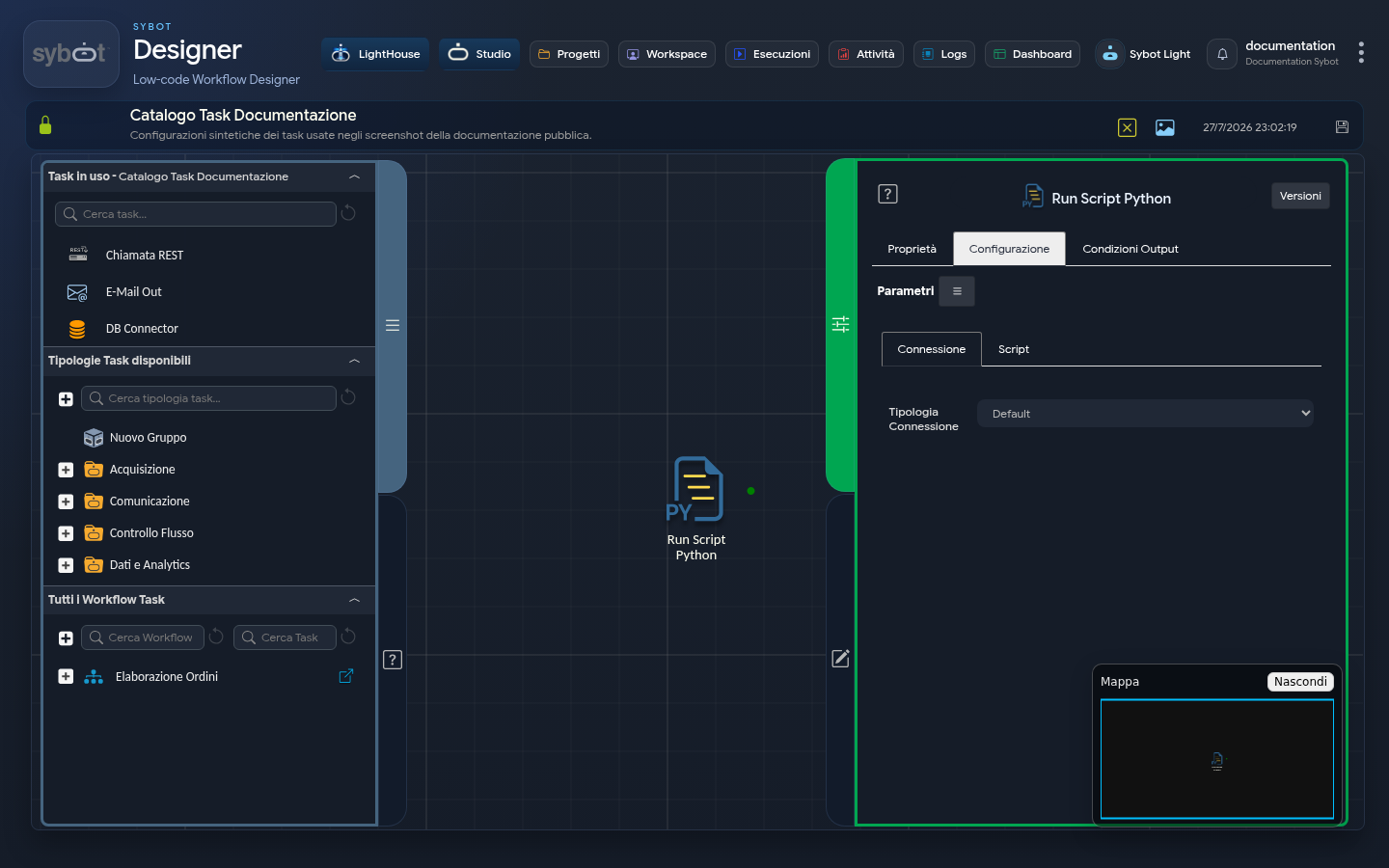
The Run Script Python task allows you to execute Python scripts by configuring whether execution occurs locally or on a remote system, defining connection settings, and specifying the script to run.
Configuration
The Configuration tab is the core of the task and is divided into two sub-tabs: Connection and Script.
"Connection" Sub-tab
This section allows you to define how the task will connect to the system where the Python script will be executed. The configuration varies based on the selected "Connection Type".
Connection Type
This menu allows you to choose between different connection modes:
Default:
- Description: Uses a default connection configuration at the system or project level. No specific configuration fields are visible, as settings are inherited.
Manual:
- Description: Allows you to manually define all connection parameters for script execution.
- Specific Fields:
- IP Address: The IP address of the remote server on which to run the script.
- Hostname: The hostname of the remote server. It can be used as an alternative to the IP Address.
- User: The username for accessing the remote server.
- SSH Key: A checkbox to enable authentication via SSH key. If selected, a field to select the key is usually enabled.
- Password: A "Set Password" button that opens a secure dialog window to enter the user's password.
- Port: The port for the SSH connection.
- Python Executable: The name of the Python executable on the target system (e.g.,
python3). - Virtual Environment: A checkbox that, if selected, enables the use of a Python virtual environment.
Environment:
- Description: Allows you to select a previously saved connection configuration as an "Environment". This is useful for reusing sets of connection parameters.
- Specific Fields:
- Environment Connection: A menu to choose from saved environment configurations (e.g., "SSH test").
- Note: Once an environment is selected, the fields below (IP Address, Hostname, User, etc.) will be pre-populated with the values of the chosen environment.
"Script" Sub-tab
This section is dedicated to entering and managing the Python code to be executed.
Python Editor
- Description: An integrated text editor where you can write or paste directly the Python code you wish to execute.
- Usage: The code entered here will be executed on the system specified in the "Connection" sub-tab, using the configured Python executable.
Task configuration fields can be populated manually or via workflow parameters and variables.
Output Parameters
Upon completion of execution, the task makes the following Output Parameters available, usable as inputs in subsequent tasks in the Workflow.
- result: Contains a text message describing the outcome of the script or an error message (e.g., "Missing server address").
- resultJson: Represents the result of the task execution in JSON format, including general information, configurations, and execution details.
- content: Returns the Python code written in the Script field.