Windows RM
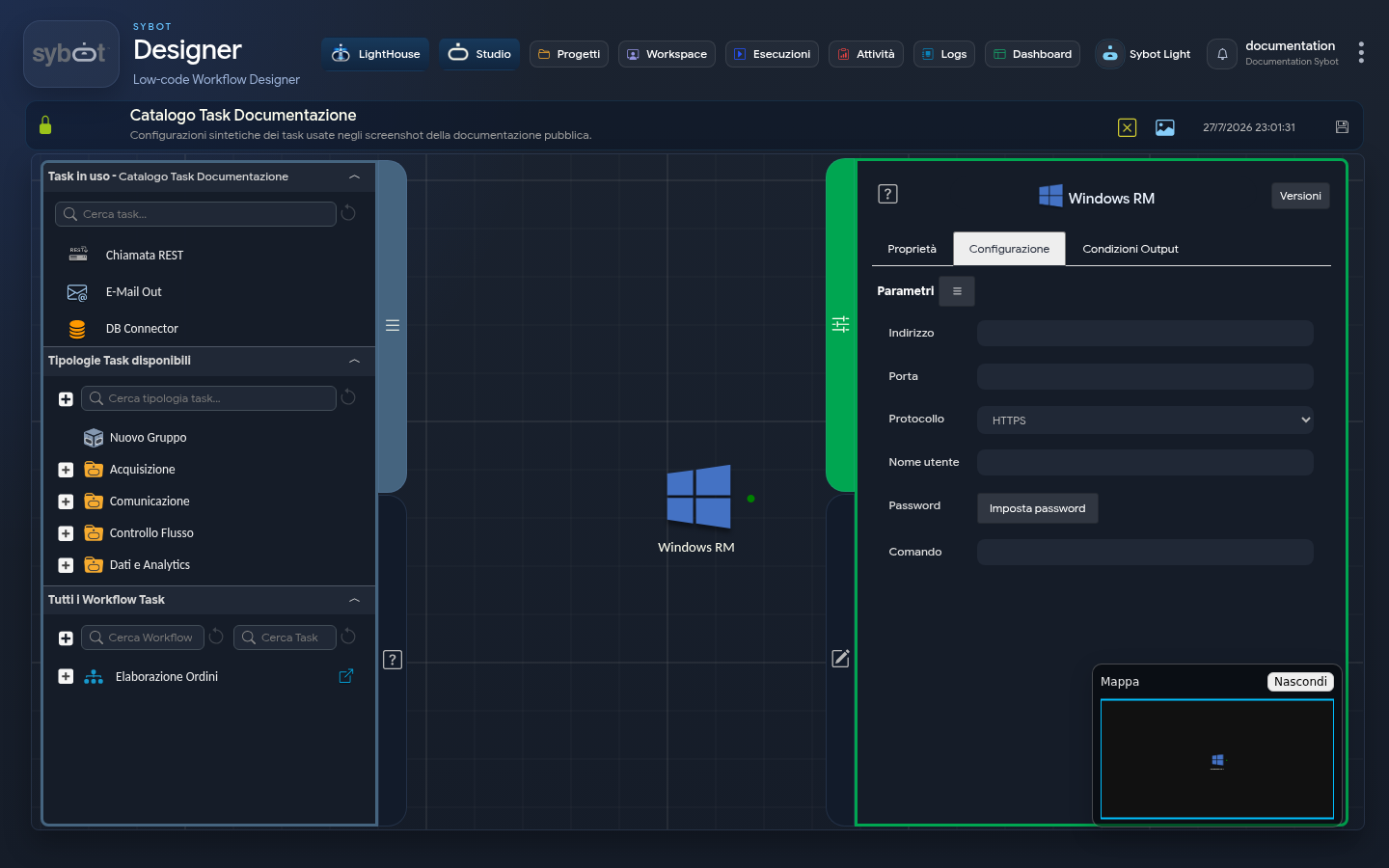
The Windows RM task allows you to connect to a remote Windows server using the WinRM protocol and execute commands.
Configuration
- Address: authorised remote Windows system. The IP address of the remote server.
- Port: e.g.
5986(HTTPS) or5985(HTTP) Port used for the connection. - Protocol: e.g.
HTTPS(Default)HTTP- Username: e.g.
userUsername for the connection. - Password:
[Set password]Option to enter the user's password.
Command
- Contains the commands to be executed on the remote server. These can be system commands, scripts, or parameters (e.g.
#>string_parameter<#)
The configuration fields of the Task can be set manually or via workflow parameters and variables.
Output Parameters
Upon completion of its execution, the WinRM task exposes the following output parameters, whose content varies depending on the outcome of the operation.
- result:
- In case of success, contains the standard output (stdout) of the PowerShell command executed on the remote Windows machine. If the command produces no output to the screen, this parameter will be empty.
- In case of failure, contains the error message that caused the failure (e.g. "Address not set", or a connection/execution error).
- resultJson: represents the result of the task execution in JSON format, including general information, configurations, and execution details.
Notes
The task establishes a WinRM connection with the remote Windows server and executes the configured commands. If you use authentication via SSH keys, the public key must be registered on the remote server.