Unix Shutdown System
- Type task:
ssh_shutdownsystem
Description
The Unix Shutdown System task allows you to shut down the operating system on a local machine (Default mode) or on a remote server via SSH by sending a shutdown command.
It is used to automate the shutdown of physical or virtual machines at the end of batch processes, for maintenance activities, or for system management procedures.
Configuration
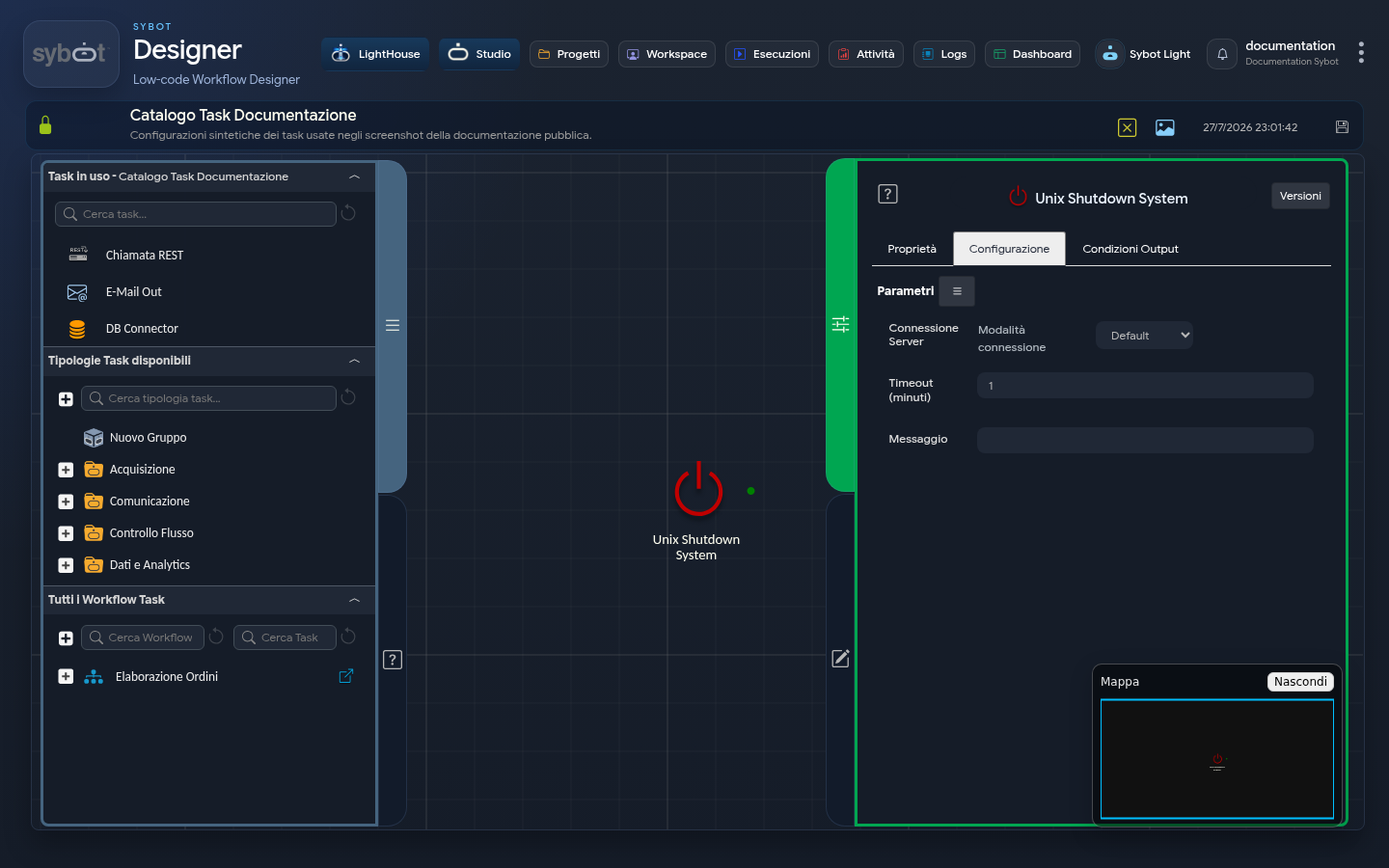
Configuration defines the details of the SSH connection, shutdown timings, and the notification message for users. Task configuration fields can be set manually or via workflow parameters and variables.
Server Connection
- Connection mode: Defines the source of the credentials used for the connection. It can assume three operational modes:
- Default: The command is executed from the local machine.
- Manual: Allows the manual entry of SSH connection parameters.
- Environment: Uses a preconfigured connection environment. In this mode, a menu is displayed listing available connections based on the role associated with the Workflow.
- IP Address: IP address of the remote server.
- Hostname: Hostname of the remote server.
- User: Username used to establish the SSH connection.
- Password: Password associated with the connection user.
- Port: Port used for the SSH connection (the default value is 22).
Execute command as another user
By enabling this checkbox, you can execute the command with a user different from the one used for the SSH connection.
- User: Name of the user with whom the command will be executed.
- Password: Password of the user used to execute the command.
Shutdown Details
- Timeout (Minutes): Specifies how many minutes after the execution of the Task the server will actually be shut down. This is not a connection timeout, but the wait time before the shutdown.
- Message: The notification message that will be sent to all users currently connected to the server via terminal to warn them of the imminent system shutdown.
Output Parameters
Upon completion of execution, the task makes the following Output Parameters available, usable as input in subsequent tasks of the Workflow.
- result: Contains a text message describing the outcome of the operation or an error message (e.g., "Missing server address").
- resultJson: Represents the result of the task execution in JSON format, including general information, configurations, and execution details.
- exitStatus: Returns the exit code of the shutdown command. A value of 0 indicates that the command was scheduled successfully.
Important Notes
The task establishes an SSH connection with the remote server and executes the server restart command as configured. If you use SSH key authentication, the public key must be registered on the remote server. If the "Execute command as another user" option is enabled, the command is executed with a user different from the main SSH connection user.