Unix Shell
- Task Type:
ssh
Description
The Unix Shell task is an extremely versatile system administration component that allows the Workflow to execute commands on a remote server or on the local machine (Default mode).
It is a comprehensive tool for IT automation, allowing you to run scripts, manage files, check service status, install packages, and perform any other operation available from a command line.
Configuration
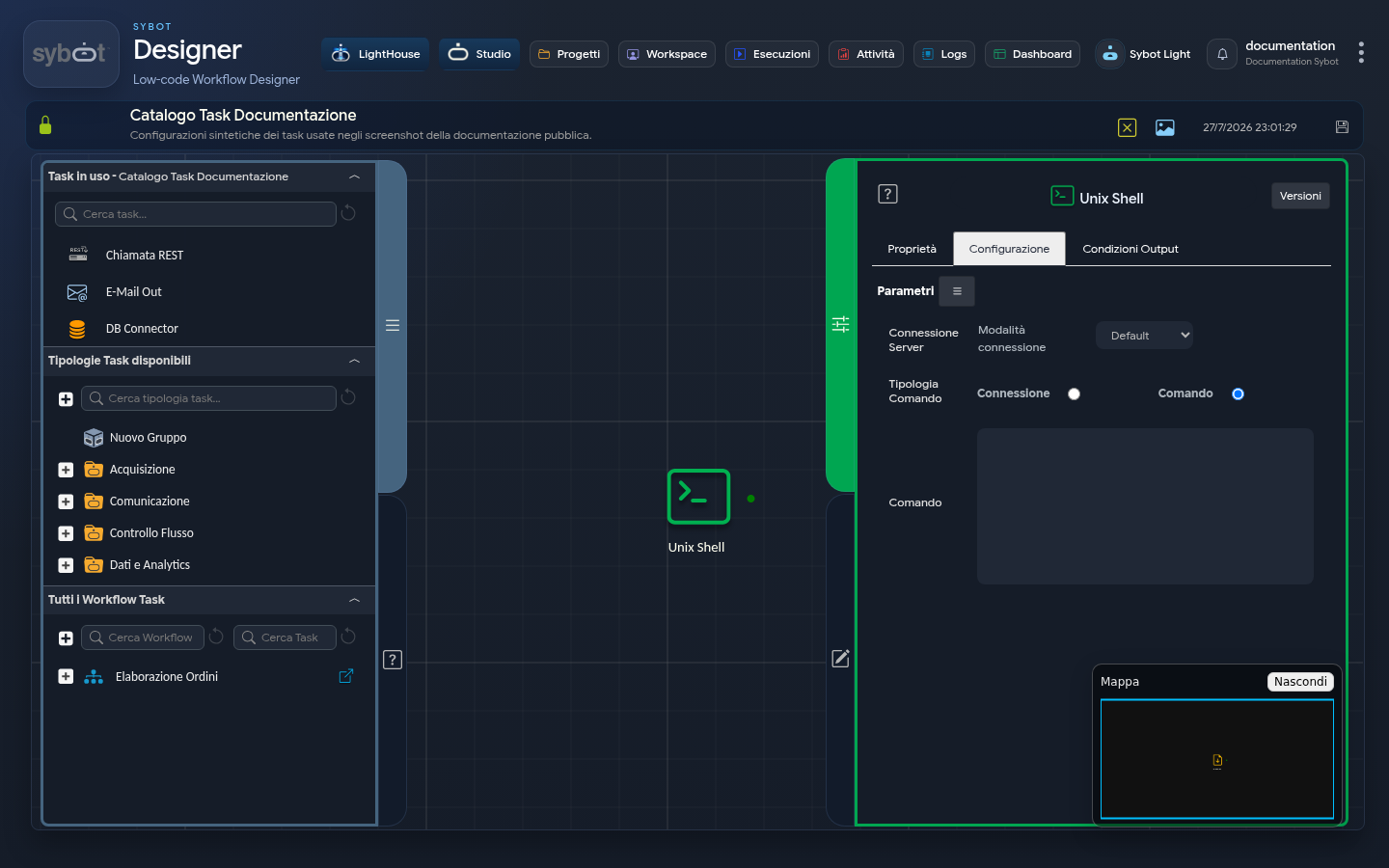
The task configuration defines the details of the connection (if required) and the command to execute. Fields can be populated manually or via workflow parameters and variables.
Server Connection
- Connection Mode: defines the source of credentials and the execution type. It can assume three operational modes:
- Default: commands are executed on the local machine, without an SSH connection.
- Manual: allows the manual entry of connection parameters.
- Environment: uses a preconfigured connection environment. In this mode, a menu is displayed listing available connections based on the role associated with the Workflow.
- Other fields (remote connection only):
- IP Address: IP address of the remote server.
- Hostname: host name of the remote server.
- User: user name used to establish the SSH connection.
- Password: password associated with the connection user.
- Port: port used for the SSH connection (the default value is 22).
Execute Command as Another User
By enabling this checkbox, you can execute the command with a user different from the one used for the SSH connection.
- User: name of the user with whom the command will be executed.
- Password: password of the user used for command execution.
Command Type
This option allows you to choose the execution mode of the task:
- Connection: in this mode, the task simply establishes an SSH connection with the remote server to verify that it is reachable and that credentials are correct. It does not execute any command. It is useful as a first step in a Workflow to ensure that a server is online before proceeding.
- Command: this is a text area where you can enter one or more shell commands to execute on the remote server.
Output Parameters
Once the external service has responded to the call, the task exposes the following output parameters, which are crucial for processing the result of the request:
- result: Contains the standard output (stdout) of the executed commands. If the commands produce a textual result, this will be captured in this parameter.
- resultJson: represents the result of the task execution in JSON format, including general information, configurations, and details about the execution.
- exitStatus: Returns the exit code of the last executed command. A value of 0 typically indicates successful execution, while non-zero values signal an error.
Example resultJson Parameter
{
  "run_info": {
    "status": "Completed",
    "run_result": "Success"
  },
  "output_parameters": {
    "exitStatus": "0"
  }
}
Important Notes
- The user used for the connection (or the "run as" user) must have the necessary permissions to execute the specified commands.
- Multiple commands can be chained using standard shell operators, such as && (executes the second command only if the first succeeds) or ; (executes the second command regardless of the first's outcome).
- The task establishes an SSH connection to the remote server and executes the configured commands. If SSH key authentication is used, the public key must be registered on the remote server. If the "Run command as another user" option is enabled, the check is performed with a user different from the main SSH connection user.