Unix Kill Process
- Task type:
ssh_killprocess
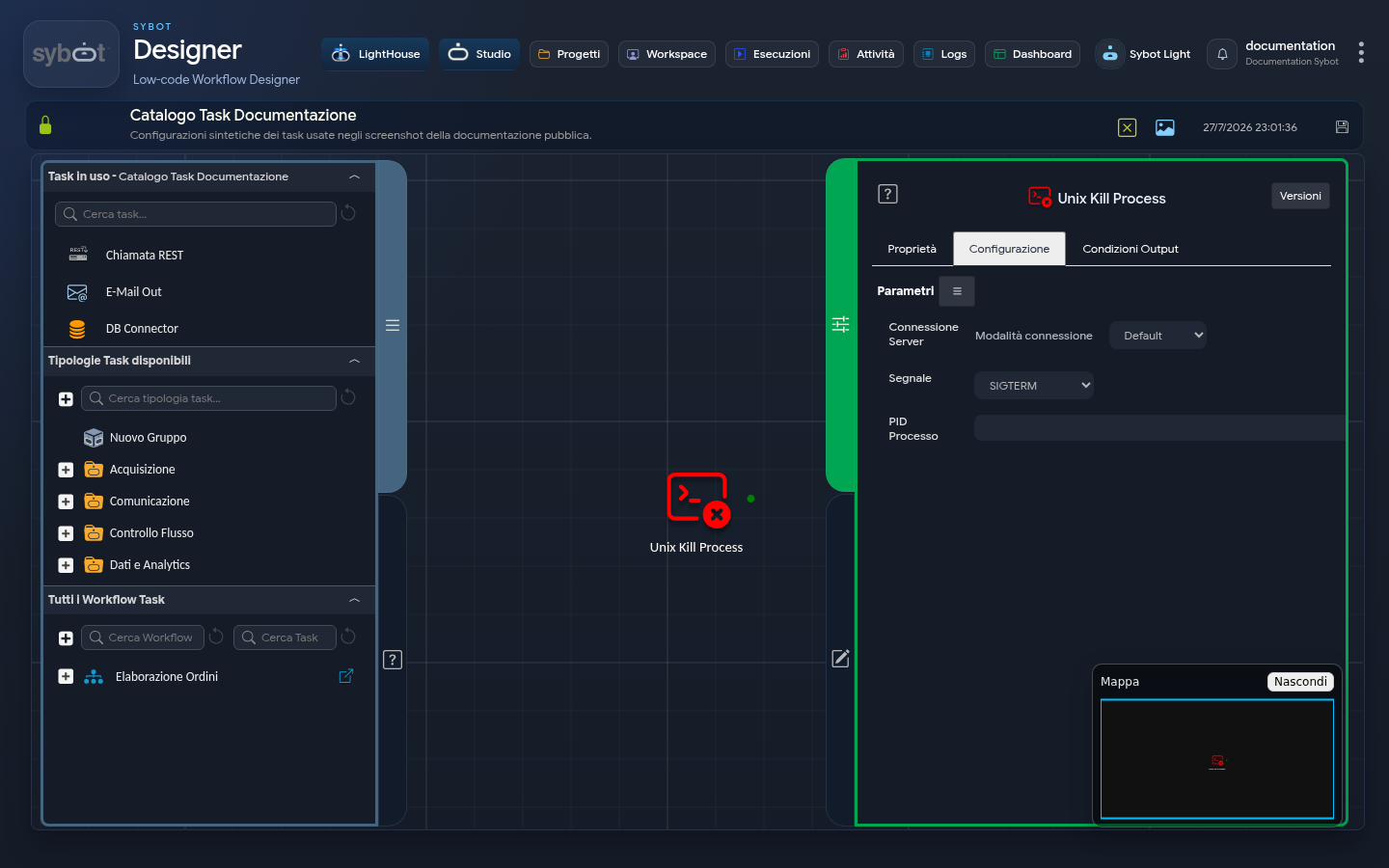
The Unix Kill Process task allows you to terminate a process by PID (Process ID), performing the operation on the local machine (Default mode) or on a remote server via SSH.
It allows you to stop processes running on Unix/Linux systems.
Configuration
Configuration defines the execution mode (local or remote) and the parameters required to identify the process to be terminated. Fields can be populated manually or via workflow parameters and variables.
Server Connection
- Connection mode: Defines the source of the credentials used for the connection. It can assume three operational modes:
- Default: The command is executed from the local machine.
- Manual: Allows manual entry of connection parameters.
- Environment: Uses a preconfigured connection environment. In this mode, a menu is displayed listing available connections based on the role associated with the Workflow.
- IP Address: IP address of the remote server.
- Hostname: Hostname of the remote server.
- User: Username used to establish the SSH connection.
- Password: Password associated with the connection user.
- Port: Port used for the SSH connection (the default value is 22).
Run command as another user
By enabling this checkbox, you can run the search with a user different from the one used for the SSH connection.
- User: Name of the user under which the command will be executed.
- Password: Password of the user used for command execution.
Process Details
- Signal: The termination signal to send to the process. The choice of signal determines the "manner" in which you ask the process to stop:
- SIGTERM: (Default) Standard termination signal. It politely asks the process to close, allowing it to complete cleanup operations. This is the preferred method.
- SIGKILL: Forced termination signal. Immediately stops the process without giving it the chance to clean up. Use this when SIGTERM does not work.
- SIGINT: Interrupt signal (equivalent to pressing Ctrl+C).
- SIGQUIT: "Quit" signal from the keyboard.
- SIGHUP: "Hang up" signal, often used to make a daemon reload its configuration.
- Process PID: Numeric identifier (Process ID) of the process to be terminated. You can specify multiple PIDs by separating them with a space.
Output Parameters
Upon completion of execution, the task exposes the following output parameters:
- result: Contains a text message describing the outcome of the operation or an error message (e.g., "Missing server address").
- resultJson: Represents the result of the task execution in JSON format, including general information, configurations, and execution details.
- exitStatus: Returns the exit code of the kill command executed on the remote server. Typically, a value of 0 indicates that the command was executed successfully.
Example resultJson parameter
{
  "run_info": {
    "status": "Completed",
    "run_result": "Success"
  },
  "output_parameters": {
    "exitStatus": "0"
  }
}
Important Notes
- The user used for the SSH connection (or the user specified in "Run as") must have the necessary permissions to send signals to the target process.
- The PID of a process can be retrieved dynamically via other tasks, such as "Unix Search Process" or by executing a
pscommand via a generic SSH task, making the entire stop process fully automated.- If you use SSH key authentication, the public key must be registered on the remote server. If the "Run command as another user" option is enabled, the command is executed with a user different from the main SSH connection user.