Unix Check Connection
- Task type:
ssh_checkconnection
Description
The Unix Check Connection task allows the workflow to verify the reachability of a destination host, either from the local machine (Default mode) or from a remote server via SSH.
In remote mode, the task operates in two steps:
- connects to a source server via SSH
- from the source server, checks if a second host is reachable
This is useful for verifying connectivity between systems within private or protected networks.
Configuration
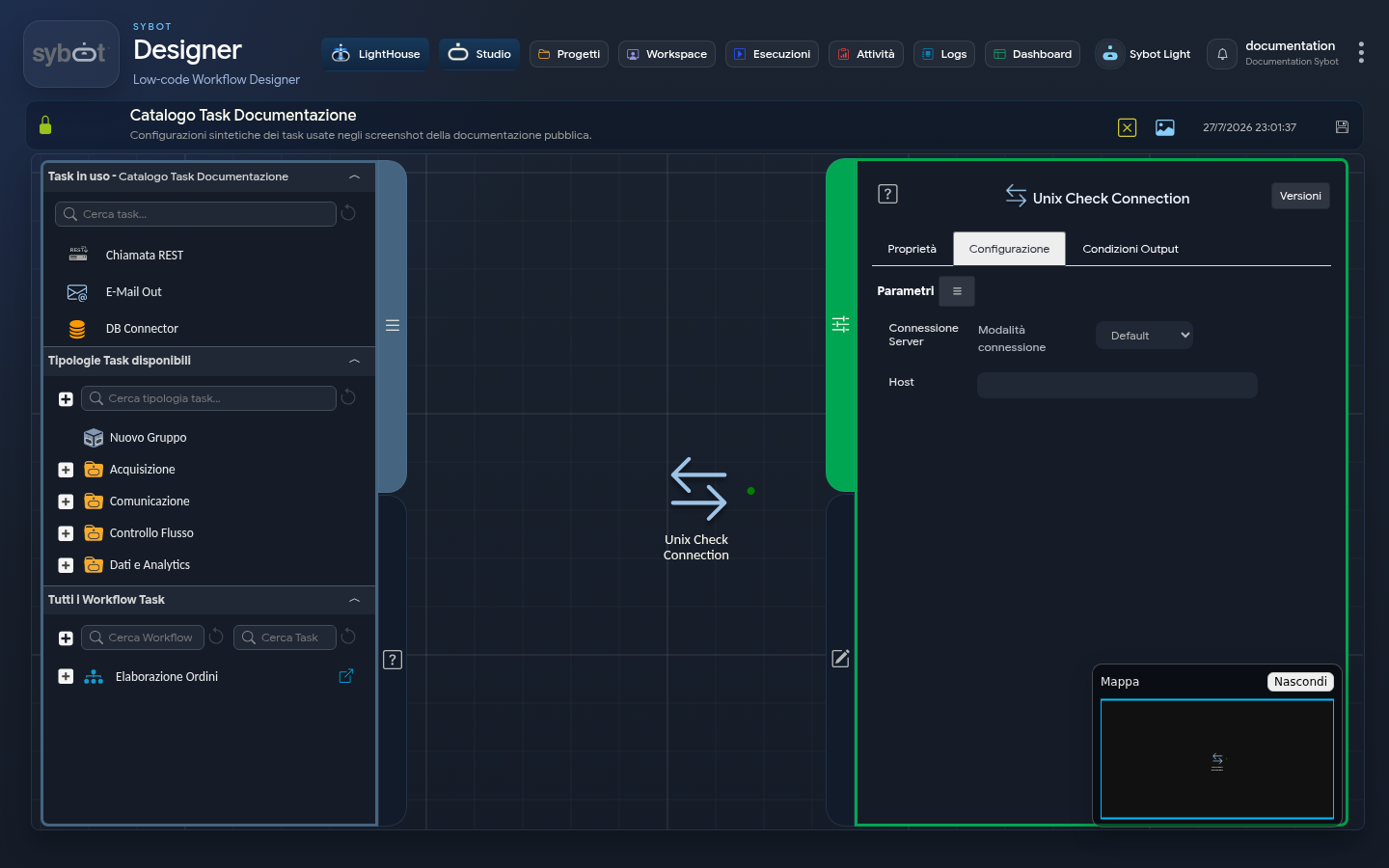
Configuration is divided into two parts: the execution/connection mode and the destination host address. Fields can be populated manually or via workflow parameters and variables.
Server Connection
- Connection mode: Defines the origin of the credentials used for the connection. It can assume three operational modes:
- Default: the check is performed from the local machine
- Manual: allows manual entry of SSH connection parameters.
- Environment: uses a preconfigured connection environment. In this mode, a menu is displayed listing available connections based on the role associated with the workflow.
- IP Address: IP address of the remote server.
- Hostname: Hostname of the remote server.
- User: Username used to establish the SSH connection.
- Password: Password associated with the connection user.
- Port: Port used for the SSH connection (the default value is 22).
Run command as another user
By enabling this checkbox, you can run the check with a user different from the one used for the SSH connection.
- User: Name of the user under which the command will be executed.
- Password: Password of the user used to execute the command.
Destination Host
- Host: The IP address or hostname of the destination machine whose reachability you want to verify.
Output Parameters
The output parameters for this task are:
- result: Contains a text message describing the outcome of the check (e.g., "PING www.google.com (216.58.204.132) 56(84) bytes of data. 64 bytes from etc..") or an error message.
- resultJson: Represents the result of the task execution in JSON format, including general information, configurations, and execution details.
- exitStatus: Returns the exit code of the network command executed. A value of 0 indicates that the host was reached successfully, while a non-zero value indicates that it is unreachable.
Example resultJson Parameter
{
  "run_info": {
    "status": "Completed",
    "run_result": "Success"
  },
  "output_parameters": {
    "exitStatus": "0"
  }
}
Notes
The task establishes an SSH connection with the remote server and verifies if the target host is reachable. If the "Run command as another user" option is enabled, the check is performed with a user different from the main SSH connection user.