S-FTP In
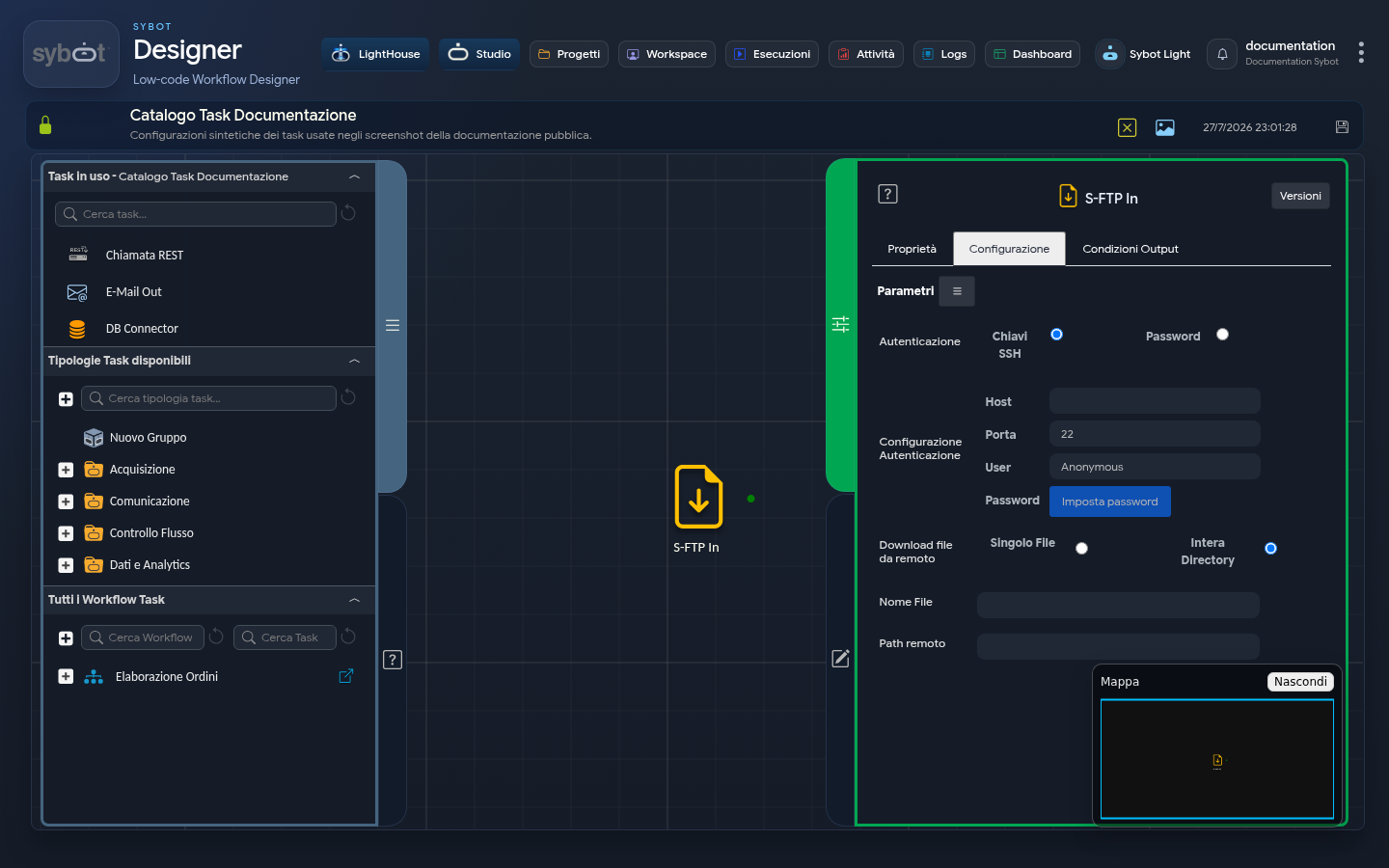
The "S-FTP In" task allows you to securely download one or more files from a remote server to the local system using the SFTP (Secure File Transfer Protocol) protocol. It is a crucial component for automating the acquisition of data or files from external systems, making them available for processing by the Workflow.
Configuration
The configuration of the task involves defining access credentials and specifying what to download. The task configuration fields can be populated manually or via workflow parameters and variables
Authentication
Defines the method by which the Workflow will authenticate with the SFTP server.
- Authentication Method: You can choose between:
- Password: Authentication will occur using the password associated with the user.
- SSH Keys: Authentication will occur using an SSH key pair (public/private).
- Host: The IP address or DNS name of the SFTP server to connect to.
- Port: The communication port for the SFTP connection. The default value is 22.
- User: The username for the connection.
Download Remote Files
Specifies the download mode.
- Download Mode: You can choose between two options:
- Single File: Allows you to download a specific single file.
- Entire Directory: Allows you to download all files contained within a specific remote folder.
- File Name: This field is visible only if you choose the "Single File" mode. Enter the exact name of the file to download here.
- Remote Path: The path to the directory on the SFTP server from which to download files. If downloading a single file, this is the path to the folder containing it.
Output Parameters
After attempting the download operation, the task exposes the following output parameters, which provide detailed information about the outcome and downloaded files.
- result: Contains a text message describing the result of the operation.
- Success example (single file): "File transfer [FileName] completed successfully!"
- Success example (directory): "Transfer of files in directory [RemotePath] completed successfully!"
- Failure example: "Authentication error with user [UserName]" or "Error transferring file [FileName]!"
- ftpInFile: Contains the name of the downloaded file.
- ftpInPath: Returns the path of the remote directory from which the download was performed.
- resultJson: Represents the result of the task execution in JSON format, including general information, configurations, and execution details.
Important Notes
- The "Entire Directory" mode downloads files present at the first level of the specified folder, but does not recursively download the contents of any subfolders.