Convert to CSV
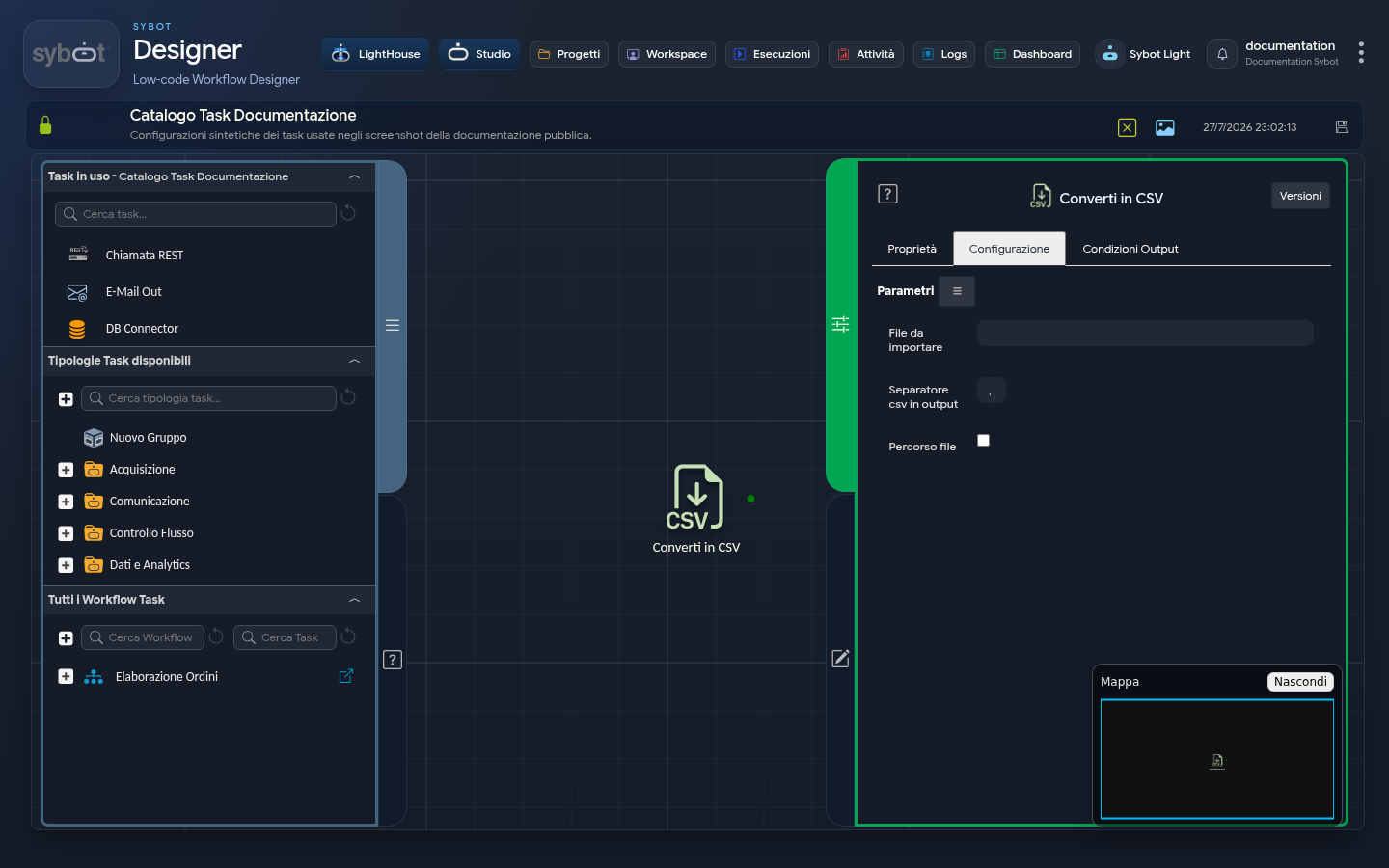
The Convert to CSV task is designed to convert a structured data file, typically an Excel (.xlsx) spreadsheet, into a text file in CSV (Comma-Separated Values) format. This operation is essential for transforming data from a readable and formatted format into a universal format that can be easily processed by other systems or subsequent tasks (such as "CSV to Table").
Configuration
The task configuration allows you to specify the source file, the separator for the output, and optionally, the destination for the generated CSV file.
- File to Import: Enter the full path to the file to be converted in this field (e.g., an .xlsx file). It can be a static value or a dynamic parameter from a previous task or workflow parameters.
- CSV Output Separator: This field allows you to specify the character used to separate values in the columns of the output CSV file. This is a crucial setting to ensure compatibility with the system that will read the file.
- The default value is the comma (,).
- You can customise it with other common separators, such as a semicolon (;) or a pipe (|).
- File Path (Checkbox): Selecting this option allows you to specify a custom destination for the output file; otherwise, a default destination will be used. If selected, the following fields will appear:
- Output path: Enter the folder path where you want to save the converted CSV file here.
- Create path if not exists: If enabled, the destination folder is automatically created if it does not exist. If disabled, the task will fail if the folder is not present.
Default Destination
The default behaviour depends on how the source file is provided:
- Case 1: Input via "File" type Parameter When the file of origin is passed via a dynamic parameter from a previous task or workflow parameters, the converted CSV file is saved in a system-managed directory.
- Case 2: Input via Manually Written Path When you write the full path of an existing file directly in the "File to import" field (e.g., /dati/input/report.xlsx), the converted CSV file is saved by default in the same directory as the source file (therefore in /dati/input/).
Output Parameters
Once the conversion is complete, the task exposes the following parameters:
- file: Returns the full path of the newly created CSV file (e.g., /percorso/output/report.csv). This parameter is ideal for passing the file to subsequent tasks, such as sending an email with an attachment.
- filename: Returns only the name of the generated CSV file (e.g., report.csv).
- result: Indicates the overall status of the conversion operation (e.g., "Success" or an error message).
- resultJson: Represents the result of the task execution in JSON format, including general information, configurations, and execution details.