XPath Query
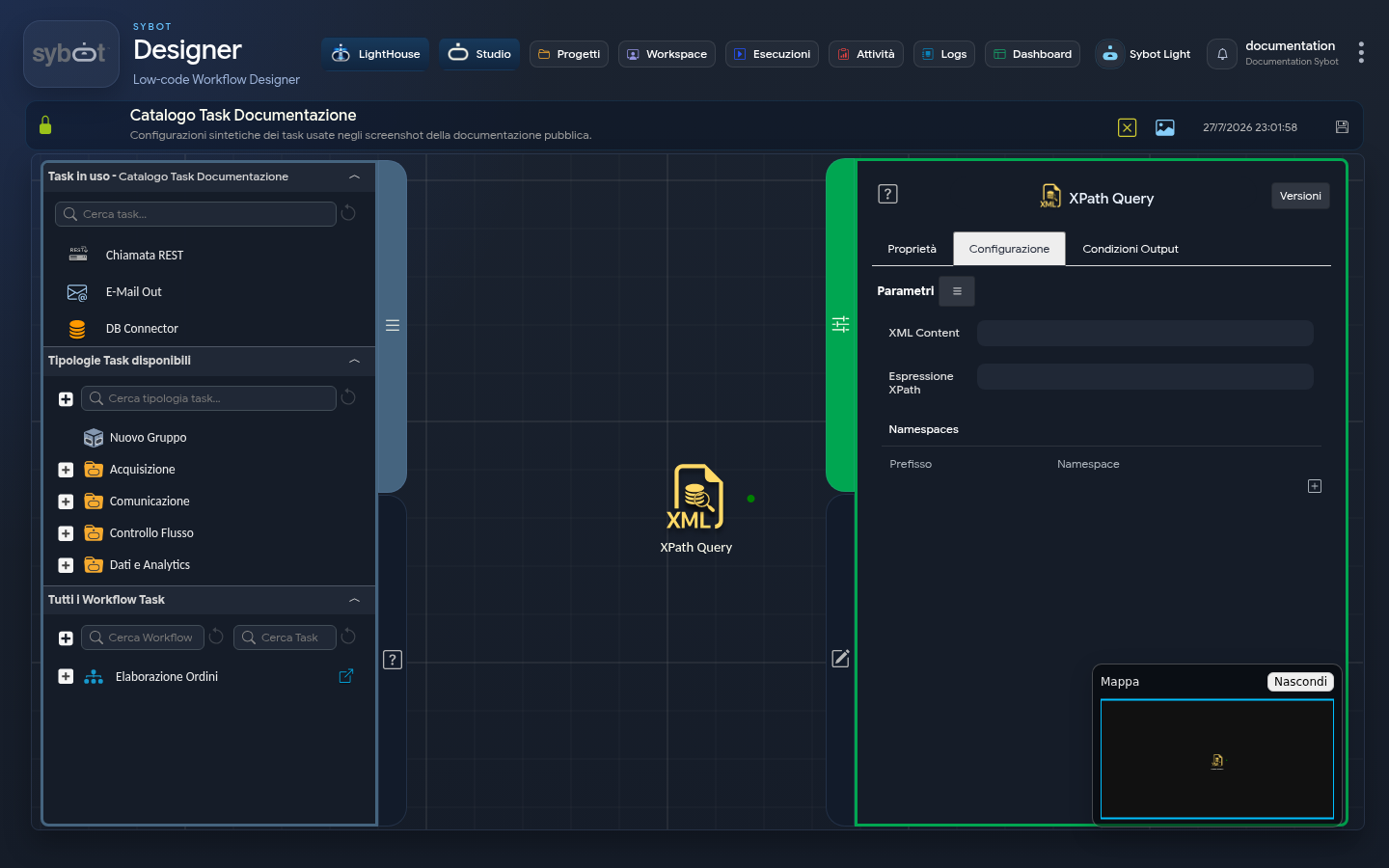
The XPath Query task is a specialised tool for extracting data from an XML document. It takes XML text input from a previous task and applies an XPath (XML Path Language) expression to select specific nodes or values within that document.
It is a fundamental task for processing responses from SOAP calls, analysing XML configuration files, or extracting information from any structured data in XML format.
Configuration
Configuration focuses on defining the search expression and optionally managing namespaces.
- XML Content: The XML document content from which data is to be extracted.
- XPath Expression: The core of the task. Enter the XPath expression here to define which elements you wish to select from the XML document.
- Namespaces (optional): This section is fundamental when processing XML documents that use namespaces, defined via attributes such as
xmlnsorxmlns:prefix.
Usage Example (Without Namespace)
Consider a simple XML file, such as a library catalogue, that does not use namespaces:
<?xml version="1.0" encoding="UTF-8"?>
<libreria>
 <libro id="1">
 <titolo>Il Signore degli Anelli</titolo>
 <autore>J.R.R. Tolkien</autore>
 <anno>1954</anno>
 </libro>
 <libro id="2">
 <titolo>1984</titolo>
 <autore>George Orwell</autore>
 <anno>1949</anno>
 </libro>
 <libro id="3">
 <titolo>Il Nome della Rosa</titolo>
 <autore>Umberto Eco</autore>
 <anno>1980</anno>
 </libro>
</libreria>
Objective: Extract only the titles of books published after 1950.
Task Configuration:
- XPath Expression: Enter the expression: /libreria/libro[anno > 1950]/titolo
- Namespaces: Leave this section empty.
Expected Result: The task's result parameter will contain a new XML document with the two titles that satisfy the condition:
<titolo>Il Signore degli Anelli</titolo>
<titolo>Il Nome della Rosa</titolo>
Usage Example (With Namespace)
While the previous example is valid for simple XML, this task also handles XML where elements belong to a pre-defined namespace, requiring you to manually associate a prefix with the namespace to use XPath correctly.
Consider a version of the XML that uses a namespace:
<libreria xmlns="http://example.com/libri">
 <libro>
 <anno>1321</anno>
 <titolo>La Divina Commedia</titolo>
 <autore>Dante Alighieri</autore>
 </libro>
 <libro>
 <anno>1600</anno>
 <titolo>Amleto</titolo>
 <autore>William Shakespeare</autore>
 </libro>
 <libro>
 <anno>1980</anno>
 <titolo>Il Nome della Rosa</titolo>
 <autore>Umberto Eco</autore>
 </libro>
</libreria>
In this case, an XPath expression such as /libreria/libro/titolo would fail, because the nodes are not named "libreria" or "libro", but are qualified by the namespace http://example.com/libri.
Using Prefixes and Namespaces
If we wanted to extract only the title of the book published after 1950 from this namespaced XML, we must first "teach" the task what the prefix we will use means (e.g., ns).
In the Namespaces section, add a row:
| Prefix | Namespace |
|---|---|
| ns | http://example.com/libri |
Now we can write the XPath expression using the registered prefix:
//ns:libro[ns:anno > 1950]/ns:titolo
Expected Result
The task's result parameter will contain a new XML document with only the title that satisfies the condition, preserving its original namespace:
<ns:titolo xmlns:ns="http://example.com/libri">Il Nome della Rosa</ns:titolo>
If the prefix and namespace are not set, the result parameter will instead contain an error message:
Warning: DOMXPath::query(): Undefined namespace prefix
Note
When XML elements have an explicit prefix:
There is no need to manually associate a prefix with the namespace. Indeed, XPath can directly use the existing prefix (ns1) to locate elements, simplifying query writing compared to default namespaces without a prefix.
Output Parameters
The Task exposes a single main Output Parameter:
- result: Contains the result of the XPath query or an error message.
- If the query returns a single simple text value (e.g., the content of a
<titolo>tag), the result will contain that value directly as a string. - If the query returns one or more XML nodes (complex structures), the result will contain a well-formed new XML document containing only the found nodes.
- If the query returns a single simple text value (e.g., the content of a
- resultJson: Represents the result of the task execution in JSON format, including general information, configurations, and execution details.