JSONPath Query v.2
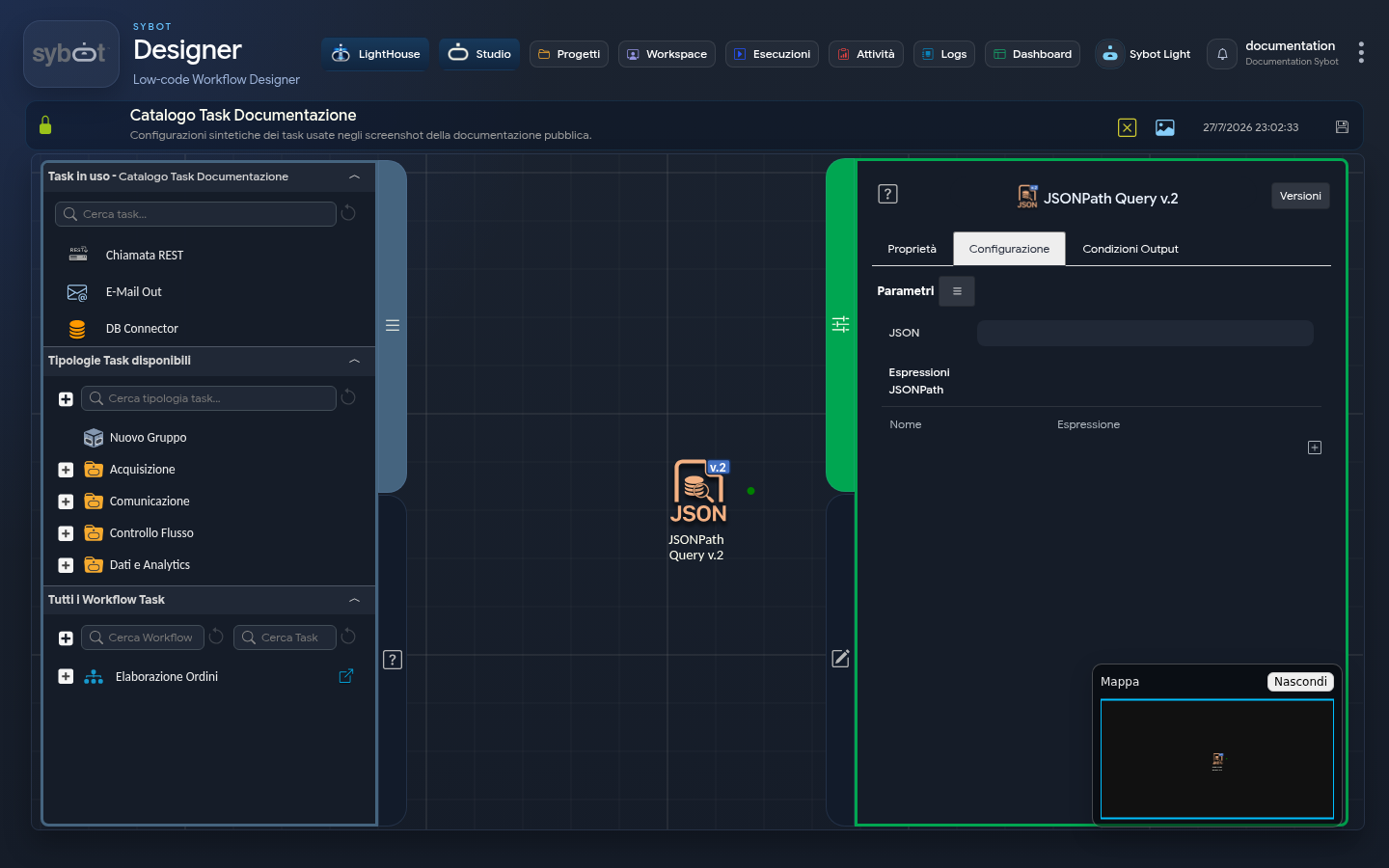
- Task type: jsonpath-query_v2
Description
The "JSONPath Query v.2" task allows you to query a JSON dataset and extract multiple values simultaneously using JSONPath syntax. Each extraction is mapped to a custom parameter name, making the data immediately available for subsequent tasks in the workflow.
Configuration Parameters
- Source JSON: the JSON content on which to execute the query. Typically, you use a dynamic parameter from a previous task (e.g.,
#>REST Call.response<#). - Expressions (Queries): in this section, you can define one or more queries. For each row:
- Parameter Name: the name that will be assigned to the output parameter (e.g.,
userId). - JSONPath Expression: the syntax to extract the data (e.g.,
$.userIdor$.items[*].id).
Note: If the query returns multiple results, the parameter will contain an array of values.
Practical Examples of JSONPath Query
Consider the following Source JSON Dataset:
{
  "users": [
    {
      "id": 1,
      "name": "Luca",
      "age": 25,
      "city": "Roma",
      "orders": [
        {
          "id": 101,
          "total": 50
        },
        {
          "id": 102,
          "total": 120
        }
      ]
    },
    {
      "id": 2,
      "name": "Giulia",
      "age": 30,
      "city": "Milano",
      "orders": [
        {
          "id": 103,
          "total": 200
        }
      ]
    },
    {
      "id": 3,
      "name": "Marco",
      "age": 22,
      "city": "Roma",
      "orders": [
        {
          "id": 104,
          "total": 80
        },
        {
          "id": 105,
          "total": 40
        }
      ]
    }
  ]
}
Using the users dataset as the source, here is how to configure the expressions to extract specific data:
| Parameter Name | JSONPath Expression | Result (Output) | Description |
|---|---|---|---|
| all_names | $.users[*].name | ["Luca", "Giulia", "Marco"] | Extracts all names present in the array. |
| first_name | $.users[0].name | "Luca" | Extracts the name of the first element (index 0). |
| name_by_id | $.users[?(@.id == 2)].name | "Giulia" | Filters the array and returns the name of the user with ID equal to 2. |
Configuration in the Task
Within the Configuration tab, the expressions will be mapped as follows:
"expressions": {
 "all_names": "$.users[*].name",
 "first_name": "$.users[0].name",
 "name_by_id": "$.users[?(@.id == 2)].name"
}
Output Parameters
The task dynamically generates parameters based on the names defined in the "Expressions" table, in addition to standard control parameters:
- [Custom Name]: returns the value (or array of values) extracted from the associated JSONPath query (e.g.,
title,userId). - result: informative message regarding the outcome of the extraction (e.g.: Expressions extracted successfully).
- exitStatus: status code of the operation (0 indicates success).
- resultJson: represents the complete result of the task execution in JSON format.
Example resultJson
{
  "run_info": {
    "status": "Completed",
    "run_result": "Success"
  },
  "output_parameters": {
    "exitStatus": "0"
  }
}