DB Connector
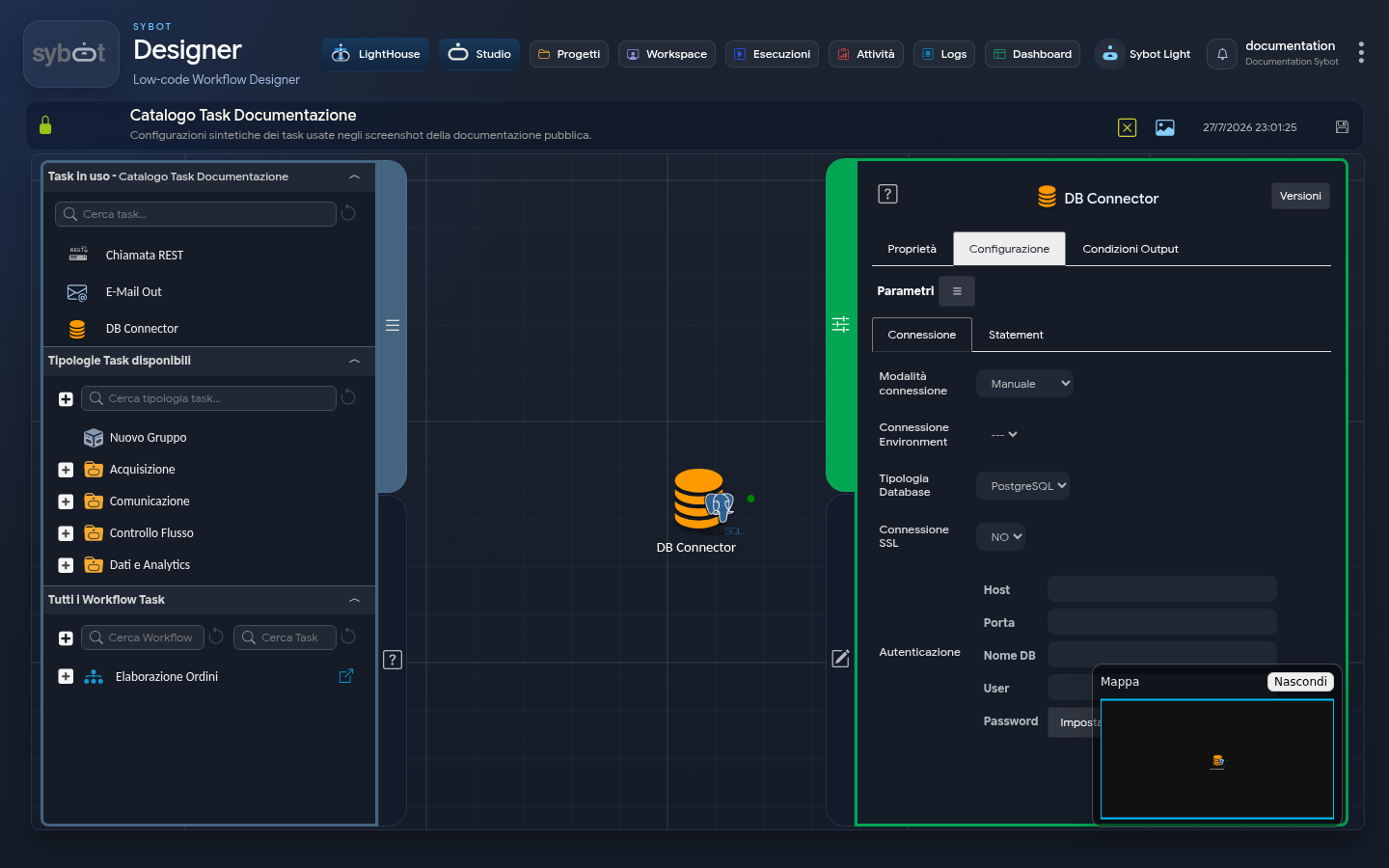
- Task Type:
db
The DB Connector task allows you to execute SQL instructions on a supported database, both for data extraction—with the ability to map results to specific aliases—and for running procedural code. Configuration requires defining the database connection and the SQL query to execute, aimed at retrieving information or performing operations.
Database Connection
| Parameter | Description |
|---|---|
| Database Type | The type of database (DBMS) to connect to |
| SSL Connection | Enabled/Disabled |
| Host | host or #>param_string<# |
| Port | port or #>param_num<# |
| DB Name | database_name or #>param_string<# |
| User | username or #>param_string<# |
| Password | Access password |
Statement Configuration
Statement Type
- Select: executes SQL queries for data extraction from the database.
- Other: allows the execution of DML instructions (
INSERT,UPDATE,DELETE), calls to procedures/stored procedures, or anonymous SQL blocks.
SQL Query Preview Example (Statement Preview)
The preview saves the current configuration before executing the query and limits the number of rows displayed. It is also available with SAP HANA. In case of an error, a diagnostic code is shown to help request support.
SELECT
config->>'kid' AS kid,
config->>'iss' AS iss,
config->>'scope' AS scope,
config->>'grant_type' AS grant_type,
config->>'project_id' AS project_id,
replace(config->>'key', chr(10), '\n') AS key,
config->>'aud' AS aud
FROM connections
WHERE id=1;
Example of Mapped Fields
| Type | Precision | Alias | Expression |
|---|---|---|---|
| EXPRESSION | 1000 | kid | config->>'kid' |
| EXPRESSION | 1000 | iss | config->>'iss' |
| EXPRESSION | 1000 | scope | config->>'scope' |
| EXPRESSION | 1000 | grant_type | config->>'grant_type' |
| EXPRESSION | 1000 | project_id | config->>'project_id' |
| EXPRESSION | 2000 | key | replace(config->>'key', chr(10), '\n') |
| EXPRESSION | 1000 | aud | config->>'aud' |
Example of From Clause
FROM connections
WHERE id=1;
Using dynamic parameter with "dbobj:"
FROM `#>dbobj:nome_tabella<#`
Table Structure Management - Select List Fields
In the bottom-right corner of the mapping table in the "Statement Type Select" - "Select List Fields" section, there are three buttons:
| Button | Action |
|---|---|
| Save | Saves the defined structure |
| Import | Imports an existing structure |
| Export | Exports the defined structure |
This feature allows you to save, export, or reuse mappings, avoiding manual field compilation and reducing the risk of errors.
Technical Note
- Visibility: Structures saved in the system are visible exclusively to the user who created them.
- Further Reading: For a detailed description of all options and operating logic, refer to the Table Structure page.
Output Parameters
Upon completion of a query execution, the "DB Connector" task exposes a set of output parameters. These parameters provide not only an account of the operation but also the retrieved data in multiple formats, ready to be used by subsequent tasks.
Query Spool Parameters
- queryspool.file: Returns the full path of the generated spool file (a CSV file).
- queryspool.filename: Returns only the name of the spool file.
- queryspool.content: Contains the full text content of the spool file.
Execution Summary Parameters
- count: Indicates the total number of rows (records) returned by the query.
- result: Provides the overall status of the task execution (e.g., "Statement Executed Successfully" or a database error message).
- resultJson: Represents the result of the task execution in JSON format, including general information, configurations, and execution details.
Data Export Parameters
These parameters contain the full set of retrieved data, already formatted in various standards.
- DataExportCsv: Returns the complete dataset formatted as text in CSV format, including the header row with column names.
- DataExportNoHeaderCsv: Returns the dataset in CSV format, but excluding the header row. This is useful when only raw data is needed.
- DataExportJson: Returns the complete dataset formatted as a JSON string (an array of objects, where each object represents a row).
Object Parameters for Advanced Processing
These parameters represent the data as structured objects, ideal for interaction with other tasks.
- Dataset: This parameter represents the column name of the table (e.g., name). It is the most important parameter for linking this task to an Iterator. To access the values of a specific column during iteration, use the syntax Dataset.ColumnName.
- DataColumn: This parameter allows access to the entire content of a column as a single entity.
- DataColumn.ColumnName: Returns all values of the column "ColumnName". For example: "Luca, Maria, Giovanni, Elena"
Important Notes
- To use dynamic parameters in the FROM clause and Statement sections, use the following syntax: "
#>dbobj:dynamic_parameter<#" (except for the SAP HANA database type, in which case use the usual syntax "#>table_name<#")
Example of the resultJson Parameter
{
  "run_info": {
    "status": "Completed",
    "run_result": "Success"
  },
  "output_parameters": {
    "exitStatus": "0"
  }
}