LightHouse — Availability Check
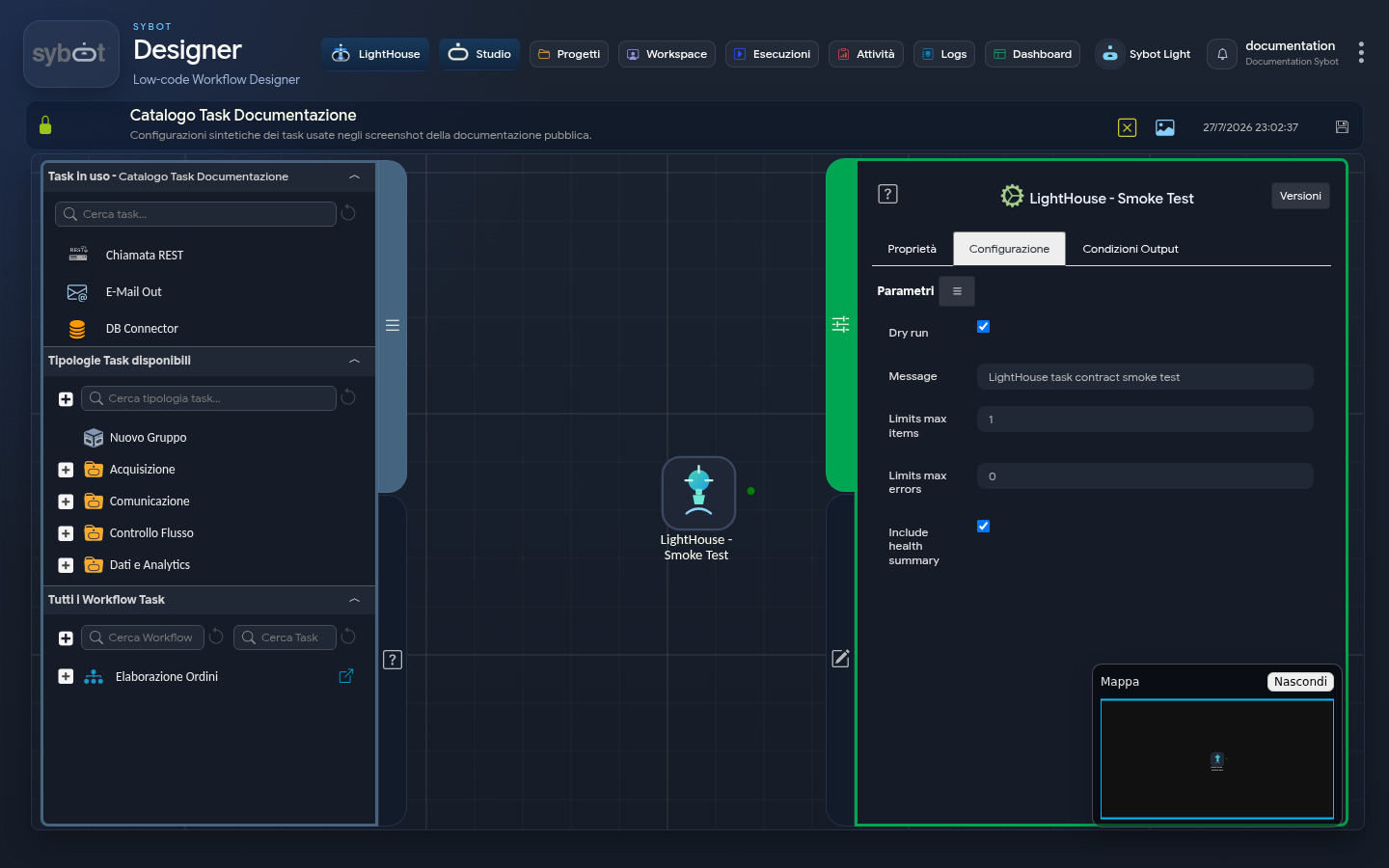
The LightHouse — Availability Check task performs a synthetic functional check on LightHouse. It does not acquire documents or images, does not query the knowledge base, and does not modify indexes.
It is intended for diagnostic workflows reserved for authorised users.
Configuration
| Field | Description |
|---|---|
| Dry run | Performs the check without making changes. |
| Message | Short text that identifies the check in the results. |
| Max elements | Limit of the sample checked, from 1 to 10. |
| Max errors | Number of tolerated errors, from 0 to 5. |
| Include status summary | Adds a summary of functional availability. |
Use a descriptive message but do not include addresses, credentials, or product configuration information.
Results
The task returns:
- check outcome;
- configured message;
- Dry run mode indication;
- number of failed checks, when a summary is requested.
If the check fails, consult Logs and report the diagnostic message shown by the interface to support. There is no need nor is it appropriate to gather details on internal configuration.