LightHouse — Re-analyse Images
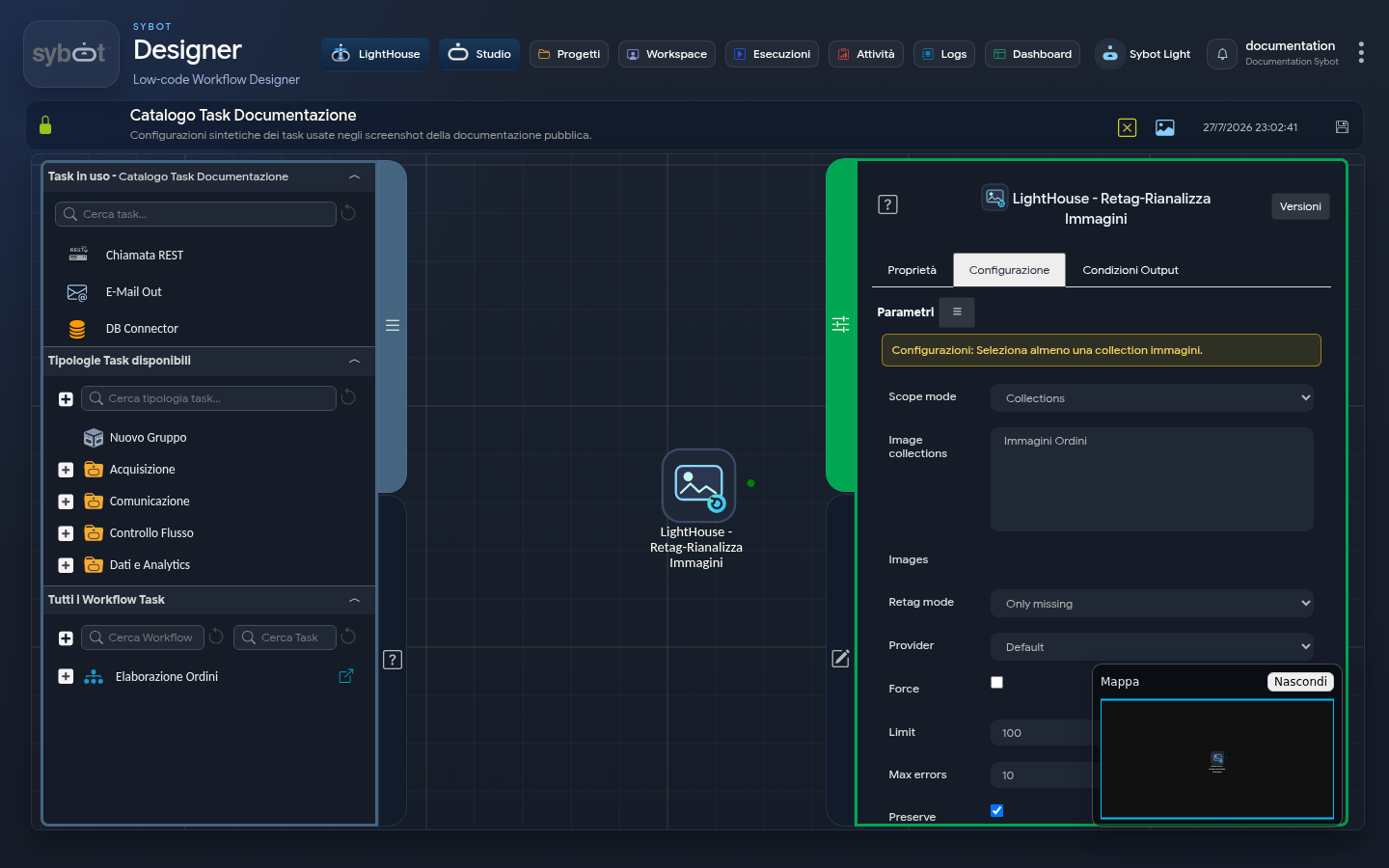
The LightHouse — Re-analyse Images task updates the automatic analysis and suggested tags for images already present in the Library.
Scope
You can select:
- one or more image collections;
- individual images.
The list is limited to items that the user can manage.
Configuration
| Field | Description |
|---|---|
| Mode | Only untagged images, failed analysis, few tags, or all. |
| Force | Requires a new analysis even if a valid one already exists. |
| Limit | Maximum number of images to process. |
| Max Errors | Threshold beyond which the task stops the operation. |
| Preserve Manual Tags | Keeps tags confirmed or added by users. |
| Respect Rejected Tags | Avoids re-proposing previously rejected tags. |
| Wait for Completion | Keeps the workflow pending until the result is available. |
To avoid losing review work, keep Preserve Manual Tags and Respect Rejected Tags active unless there is an explicit and verified need otherwise.
Results
The summary indicates selected, updated, skipped, and unprocessed images. At the end, check a sample of results in the Image Explorer, where suggested tags can be confirmed or rejected.