LightHouse — Ingest Images
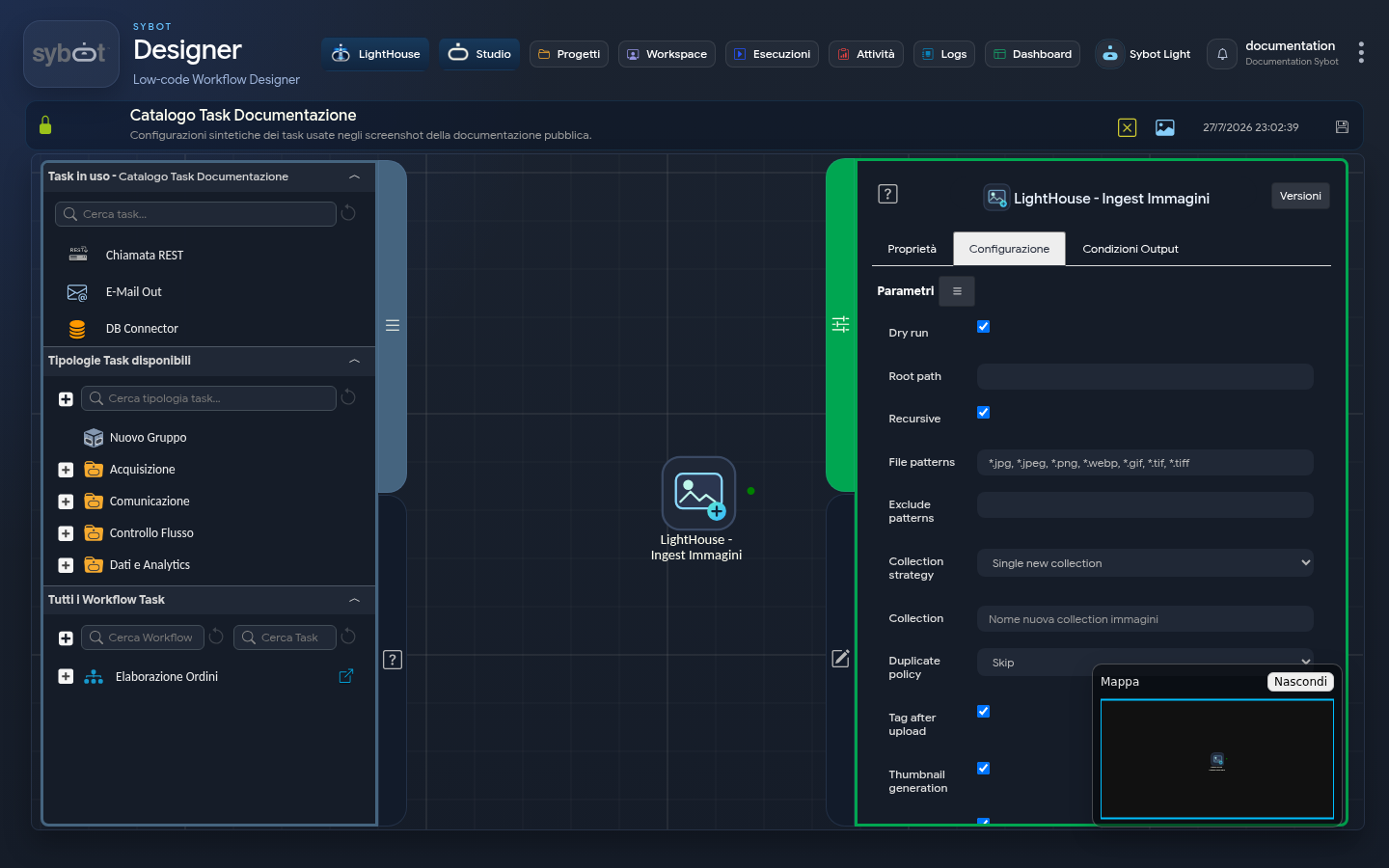
The LightHouse — Ingest Images task massively ingests images from an authorised folder and inserts them into image-type collections.
Source and destination
The configuration includes:
- Dry run, source folder and inclusion of subfolders;
- file inclusion and exclusion patterns;
- existing collection, new unique collection or collection per subfolder;
- duplicate handling;
- limits on the number of files, sizes and errors.
If an existing collection is chosen, the list shows only compatible and user-accessible destinations.
Image processing
| Option | Effect |
|---|---|
| Tag after upload | Starts analysis and suggests descriptive tags. |
| Generate thumbnails | Produces thumbnails used in the Library. |
| Extract metadata | Reads available metadata in images. |
| Keep GPS data | Maintains geographic information when present and authorised. |
| Keep EXIF metadata | Maintains technical metadata compatible with applied rules. |
Carefully evaluate Keep GPS data: location can be personal or sensitive data. Disable the option when not needed.
Completion and results
With Wait for completion the workflow waits for the outcome of the acquisition and selected operations. Otherwise it proceeds after startup and returns necessary references for control.
The summary indicates analysed, created, updated, skipped and unprocessed images, without exposing the physical location of files.
Recommended procedure
- Try a Dry run with synthetic images.
- Verify the destination collection and related metadata options.
- Run the acquisition.
- Check thumbnails and tags in the Image Explorer.