Base64 Decode
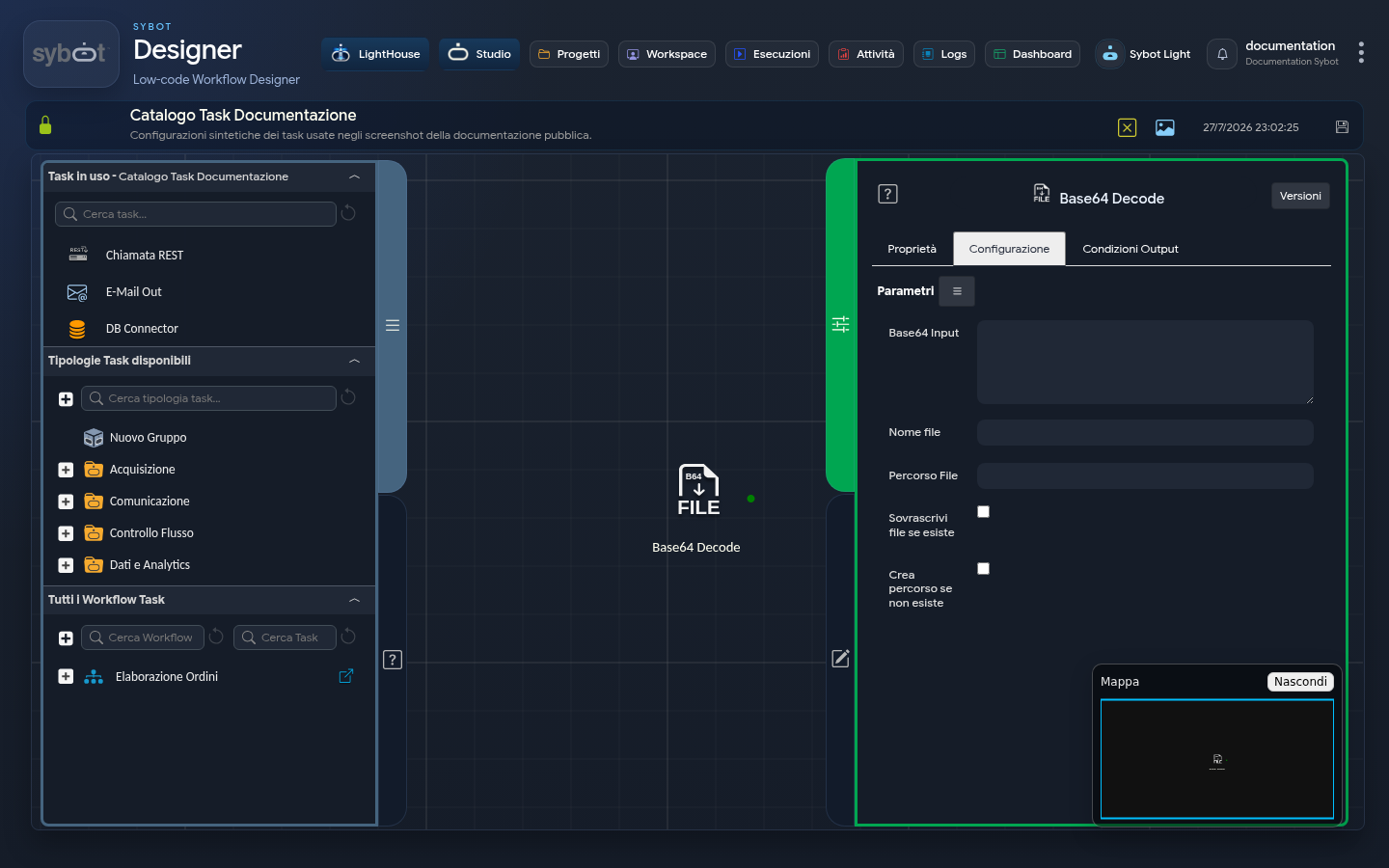
The Base64 Decode task performs the inverse operation of the "Base64 Encode" task. It takes a text string in Base64 format as input and decodes it to recreate the original binary file (for example, an image, a PDF, a ZIP file, etc.).
Configuration
This tab contains all the fields necessary to configure the decoding process. These fields can be set manually or via workflow parameters and variables.
- Base64 Input: Enter the Base64-encoded string you wish to decode in this field.
- File Name: Specify the name that will be assigned to the file once decoded, including its extension (e.g.,
invoice.pdf,image.jpg). - File Path: This field defines the destination path where the decoded file will be saved.
Additional Options
- Overwrite file if it exists: If this checkbox is selected, and a file with the same name already exists in the destination folder, it will be automatically overwritten with the new file. If the checkbox is not selected and the file already exists, the task will fail to prevent accidental data loss.
- Create path if it does not exist: If this option is selected, and the path specified in the "File Path" field does not exist, it will be automatically created by the task before saving the file. If the option is not active and the path is invalid or does not exist, the task will fail.
Output Parameter
Upon completion of execution, the task makes the following Output Parameters available, which can be used as input in subsequent tasks in the Workflow.
- file: Returns the full path of the file. This parameter is ideal for passing the file to subsequent tasks, such as an email send with an attachment.
- filename: Returns only the name of the generated file.
- content: Content of the generated file.
- result: Indicates the outcome of the operation performed by the task. For example: "File created successfully" or "Unable to write file to disk".
- resultJson: Represents the result of the task execution in JSON format, including general information, configurations, and execution details.