Workflow Exit
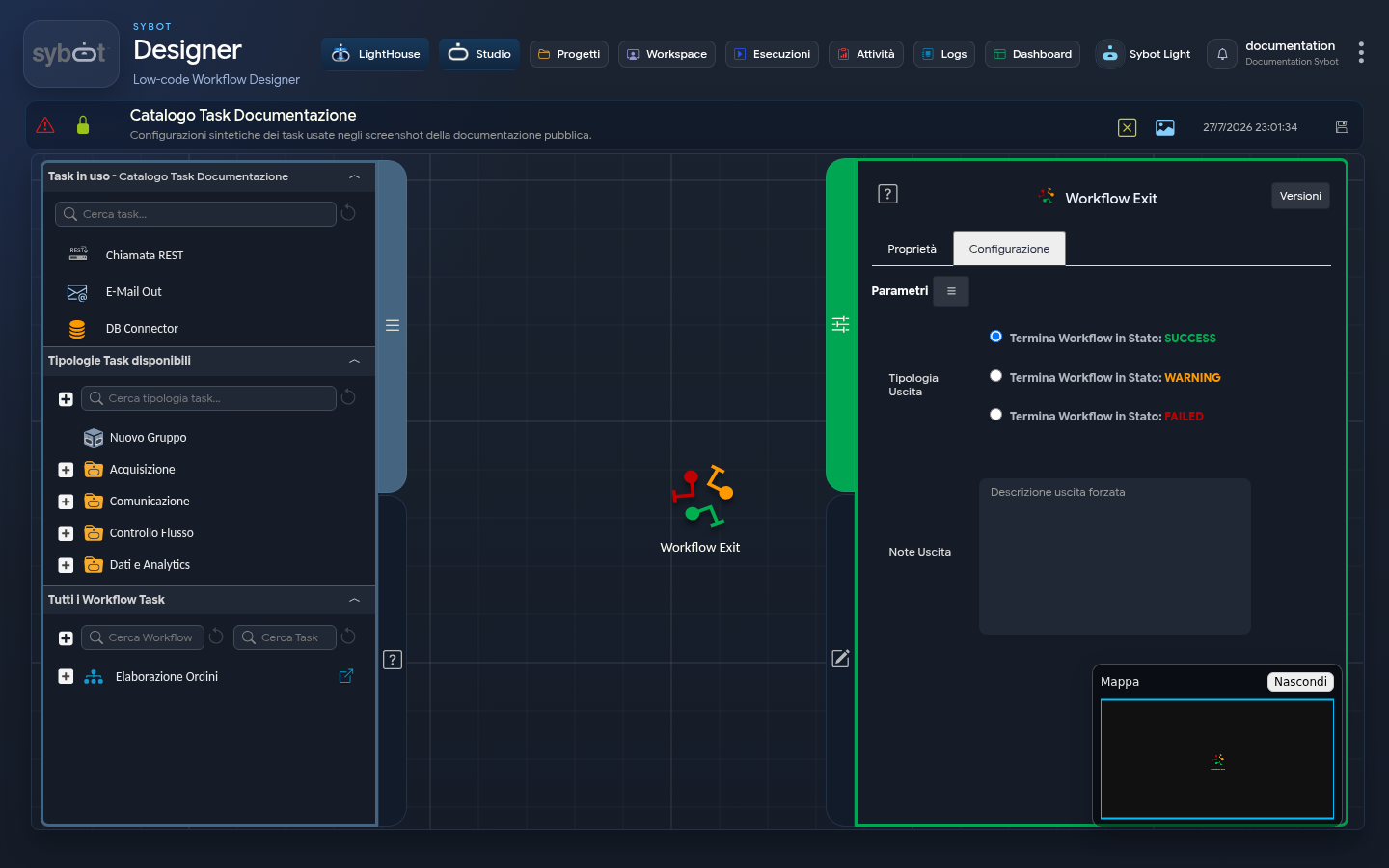
The Workflow Exit task allows you to terminate the Workflow by setting a specific exit status. Correctly configuring this task is essential for managing the Workflow flow and providing detailed information about exit statuses.
Configuration
Exit Type
You can choose from three exit statuses:
- SUCCESS - Terminates the workflow with a positive result.
- WARNING - Terminates the workflow with a Warning status.
- FAILED - Terminates the workflow with a Failed status.
Exit Notes
- You can specify an optional description for a forced exit.
- The message can contain static text.
- Dynamic parameters are supported in the format
#>parametro_string<#.
This indicates that parametro_string will be replaced with a dynamic value before sending.
Configuration Example
For example, selecting the WARNING status:
- Log under the Diagram: Here, the Workflow Exit task will have a Success status, as it was executed as expected.
- Page Execution Logs (General): Here, the Workflow status will be WARNING. Expanding the detail of the execution of individual tasks included in the Workflow, the Workflow Exit task will be indicated with a positive result, as it was executed correctly according to the intended logic.