Run Workflow v.3
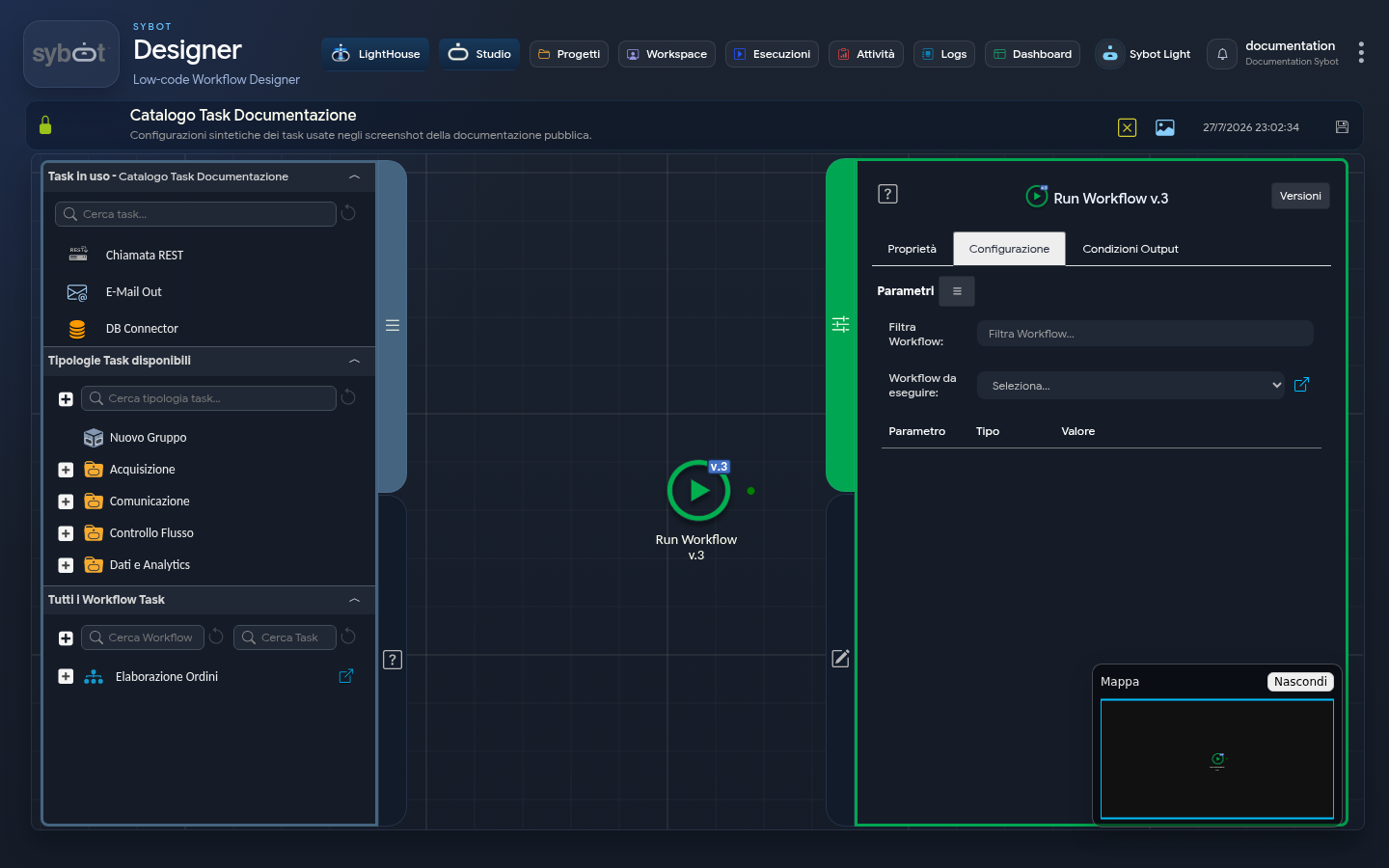
- Task type:
runworkflow_v3
Description
The "Run Workflow v.3" task allows you to execute a secondary (child) workflow within a main (parent) process. This task facilitates the modularization of workflows and data exchange between different workflows.
Configuration Parameters
- Filter Workflow: Search field to quickly locate the desired process.
- Workflow to Execute: Menu (Dropdown) listing the workflows to which the user has access.
- Parameters Table (Parameter / Type / Value): This section is populated dynamically with the input parameters defined in the selected child workflow.
- If the child workflow does not require inputs, the table will remain empty.
- Allows passing values (static or dynamic via tags such as
#>Param<#) from the parent to the child.
Execution and Failure Logic
- Error Independence: If the execution of the child workflow fails, the "Run Workflow v.2" task in the parent workflow does not fail.
- Task Failure Conditions: The task fails if the child workflow cannot be started, for example, because it is currently locked/being edited by another user.
Output Parameters
- result: Informational message regarding the outcome of the call (e.g., Workflow wf_child executed with status Success).
- resultJSON: Result of the current task execution in JSON format.
- targetWorkflowId: Unique ID of the executed child workflow.
- targetWorkflowName: Name of the executed child workflow.
- resultJSONtarget: JSON string containing the full execution report of the child workflow (including results of each internal task). This output parameter is useful for obtaining information on child workflow executions: data can be extracted directly using tasks with JSONPath queries.
- exitStatus: Status code of the operation (0 indicates that the start was successful).
- outputVars: Output variables exposed dynamically by the child workflow (if present).
Output Vars
If the child workflow contains a Declare Variables task, the variables defined in that task are exposed as output of the Run Workflow v.3 task in the parent workflow.
The returned values correspond to the final state of the variables in the child workflow, potentially modified via a Set Variables task.
If the child workflow does not contain a Declare Variables task, the outputVars section will not be empty.
Example resultJson
{
  "run_info": {
    "status": "Completed",
    "run_result": "Success"
  },
  "output_parameters": {
    "exitStatus": "0"
  }
}