Run Workflow v2
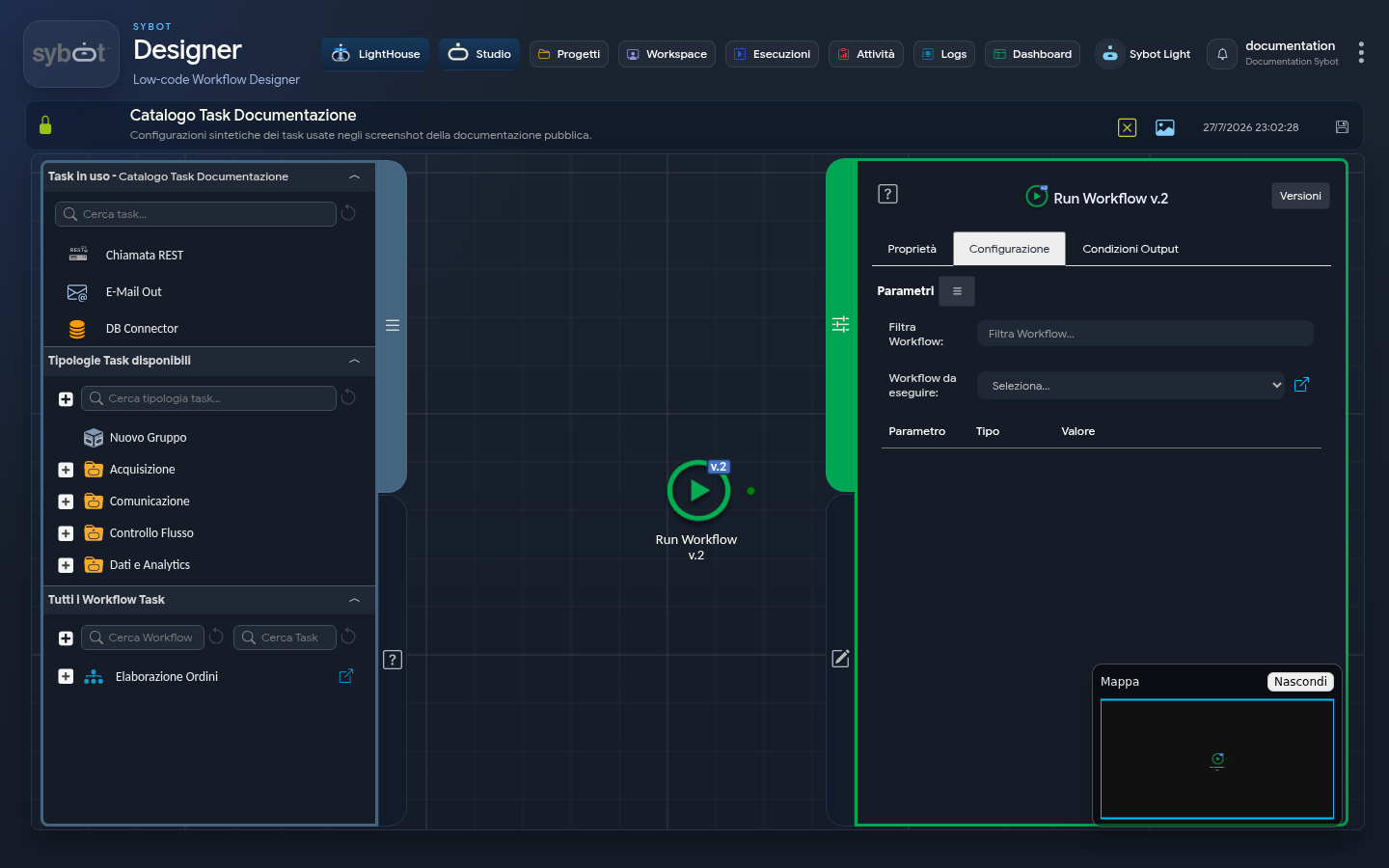
- Task type:
runworkflow_v2
Description
The "Run Workflow v.2" task allows you to execute a secondary (child) workflow within a main (parent) process. This task facilitates the modularization of workflows and data exchange between different workflows.
Configuration Parameters
- Filter Workflow: Search field to quickly locate the desired process.
- Workflow to Execute: Menu (Dropdown) listing the workflows the user has access to.
- Parameters Table (Parameter / Type / Value): This section populates dynamically with the input parameters defined in the selected child workflow.
- If the child workflow does not require inputs, the table will remain empty.
- Allows passing values (static or dynamic via tags such as
#>Param<#) from the parent to the child.
Execution and Failure Logic
- Error Independence: If the execution of the child workflow fails, the "Run Workflow v.2" task in the parent workflow does not fail.
- Task Failure Conditions: The task fails if the child workflow cannot be started, for example, because it is currently locked/being edited by another user.
Output Parameters
- result: Informational message regarding the outcome of the call (e.g., Workflow wf_child executed with status Success).
- resultJSON: Result of the current task execution in JSON format.
- targetWorkflowId: Unique ID of the executed child workflow.
- targetWorkflowName: Name of the executed child workflow.
- resultJSONtarget: JSON string containing the full execution report of the child workflow (including results of each internal task). This output parameter is useful for obtaining information on child workflow executions: data can be extracted directly using tasks with JSONPath queries.
- exitStatus: Status code of the operation (0 indicates that the start was successful).
Example resultJson
{
  "run_info": {
    "status": "Completed",
    "run_result": "Success"
  },
  "output_parameters": {
    "exitStatus": "0"
  }
}