Run Workflow
- Task type:
runworkflow
The Run Workflow task is a fundamental component for creating complex and modular processes. Its function is to launch the execution of a "child" Workflow from a "parent" Workflow, allowing data and parameters to be passed from the parent to the child.
This approach enables:
- Reusing complex logic: A Workflow that performs a common operation (e.g., retrieving user data) can be created once and called by many other Workflows.
- Simplifying diagrams: It breaks down a monolithic and complex process into smaller, simpler, and more maintainable sub-processes.
- Managing parallel or sequential workflows: Starting a secondary automation after a primary one has completed.
Configuration
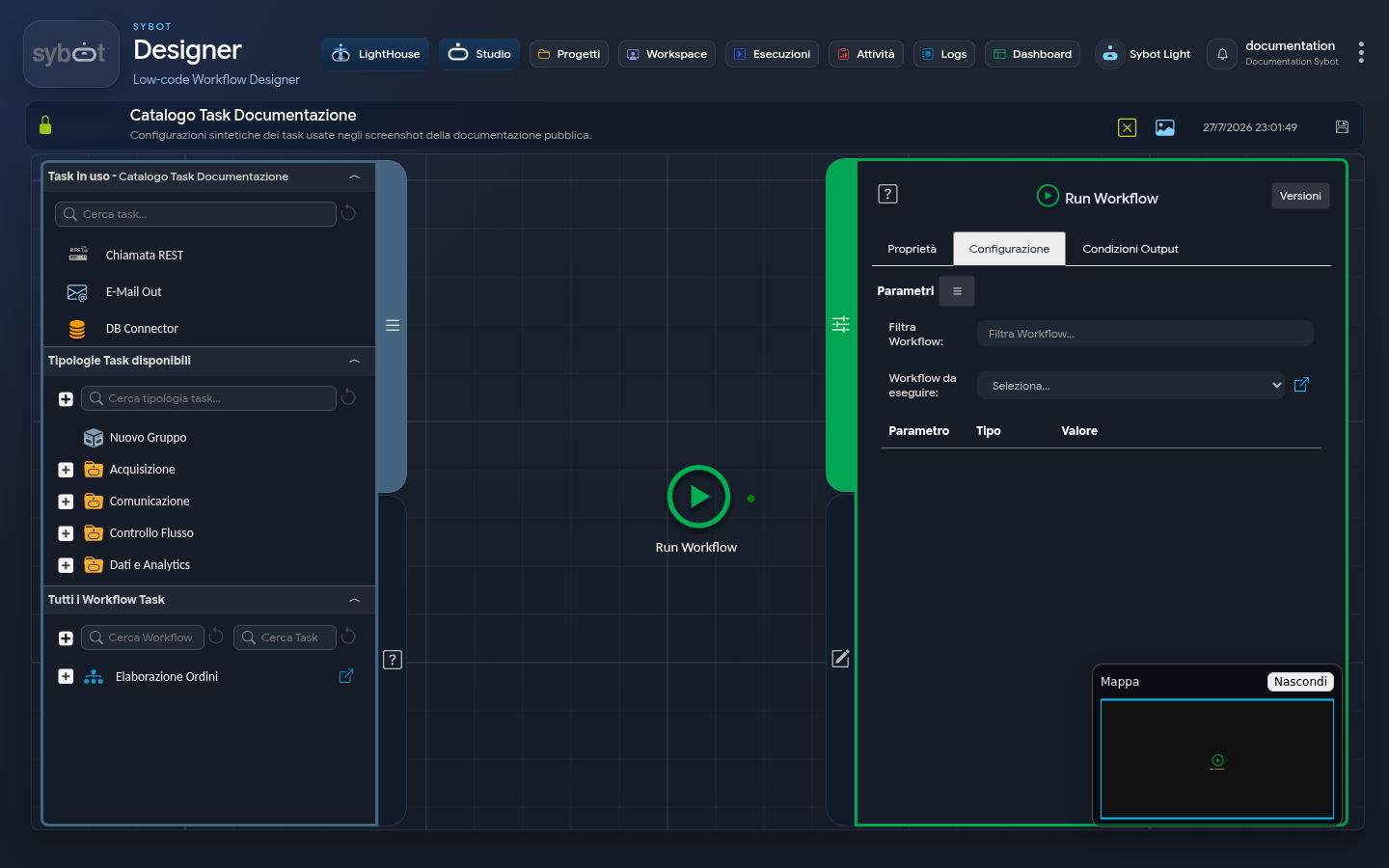
The task configuration is divided into two main areas.
1. Workflow to Execute
- Filter Workflows: Allows filtering the list of Workflows to start.
- Workflow to Execute: Allows selecting the "child" Workflow to start. The list shows all available workflows based on the user's permissions.
2. Parameter Configuration
This section manages data exchange between the parent Workflow and the child Workflow. The parameters available in this area derive exclusively from the parameters declared in the child Workflow: only parameters previously defined in the child Workflow can be populated in this section.
For each parameter, you can specify:
- Parameter: Indicates the name of the parameter as defined in the child Workflow. The name is not editable and serves to ensure the correct association of the passed value.
- Type: Shows the data type of the parameter (e.g., String, Number, Boolean, etc.), consistent with the definition in the child Workflow.
- Value: Defines the value that will be passed to the parameter when the child Workflow starts. The value can be set manually (e.g.,
123,"Error") or via workflow parameters and variables.
Output Parameters
The Output Parameters of the task are:
- targetWorkflow: Returns the name of the "child" Workflow that was executed.
- result: Returns a text message describing the outcome of the child Workflow start operation.
- resultJson: Represents the result of the task execution in JSON format, including general information, configurations, and execution details.
- resultJsonTarget: Represents the result of the child Workflow execution in JSON format, including general information, configurations, and execution details. This parameter allows reusing the data processed by the child Workflow within the parent Workflow. The JSON content can be queried via the JSONPath Query task or used by the JSON to Table task to write data into a database table.
Important Notes
Only workflows that are not locked for editing at the time of execution can be run. If a user is modifying the child Workflow when the parent attempts to start it, the operation may fail.
Example resultJson
{
  "run_info": {
    "status": "Completed",
    "run_result": "Success"
  },
  "output_parameters": {
    "exitStatus": "0"
  }
}