Repeat
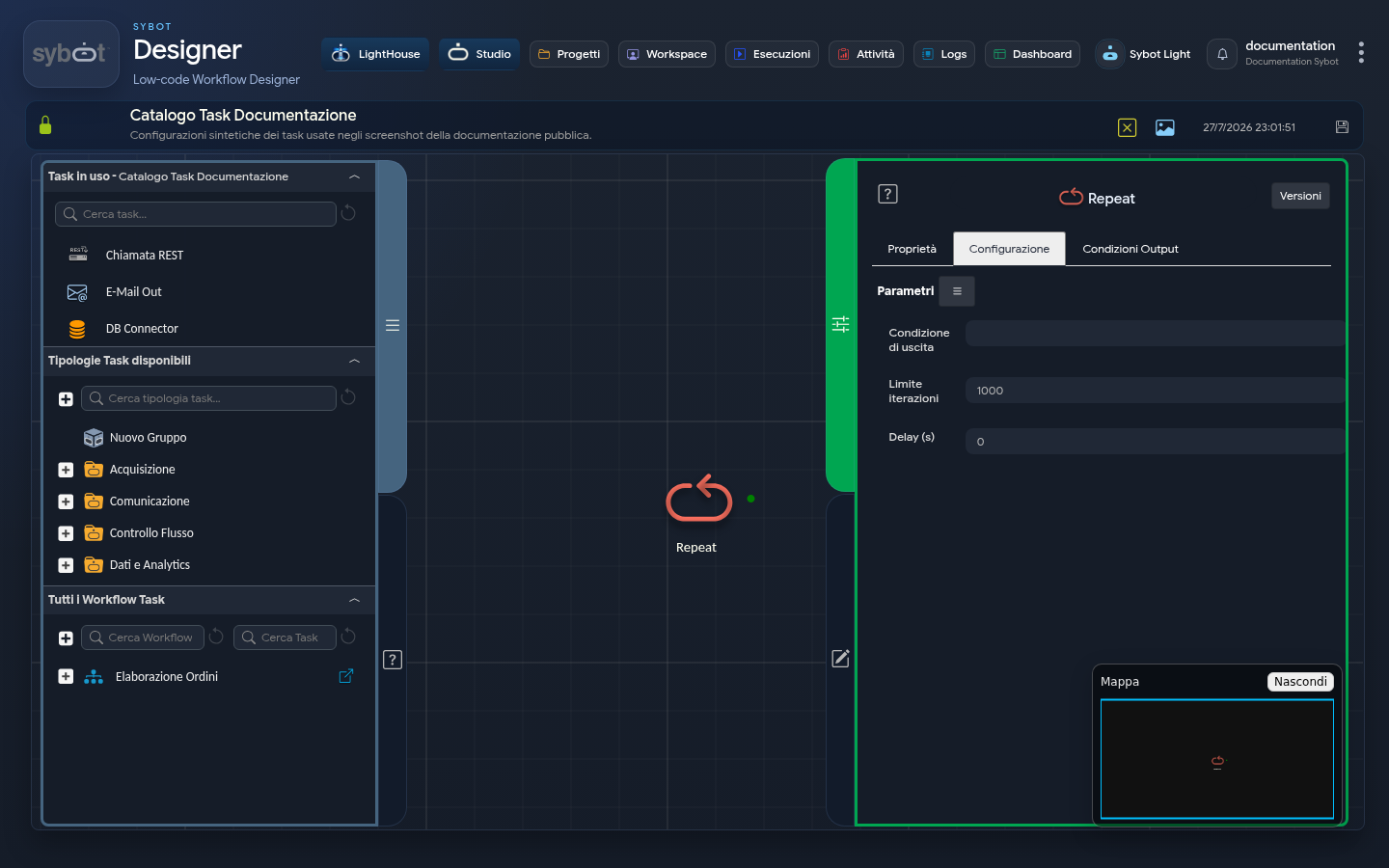
- Task type:
loop-control
The Repeat task acts as a flow controller to create a loop. Its function is to repeat the execution of the immediately preceding task until a specific exit condition is met or a maximum number of iterations is reached.
It is the ideal tool for implementing active wait logic (polling), attempting an operation multiple times in case of failure, or performing an action a fixed number of times.
Configuration
The task configuration defines the rules governing the loop.
- Exit Condition: Represents the expression evaluated at the end of each iteration. The loop continues repeating as long as this condition is false. As soon as the condition becomes true, the loop stops and the Workflow proceeds from the Repeat task's exit branch.
- Dynamic example:
#>Declare variables.x<# == 5(the loop stops when variable x reaches the value 5). - Static example:
1 == 1(always true expression, the loop will stop after the first execution).
- Dynamic example:
- Iteration Limit: This is a safety and control mechanism. It defines the maximum number of times the preceding task can be repeated. The loop will stop upon reaching this limit, regardless of whether the "Exit Condition" has been met or not.
- Delay (s): The wait interval, in seconds, between the end of one iteration and the start of the next. Setting a value greater than 0 is useful to avoid overloading a system with too frequent requests (polling).
Usage Example
This scenario, visible in the provided diagram, shows how to use Repeat to perform an action until a counter reaches a certain value.
- Declare variables: An initial task declares a variable x = 1.
- Set variables: This is the task that will be repeated. On each execution, it increments the value of variable x by 1.
- Repeat: The Repeat task is configured as follows:
- Exit Condition:
#>Declare variables.x<# == 5 - Iteration Limit: 10
- Delay (s): 0
- Exit Condition:
Execution Flow:
- The Set variables task is executed for the first time, x becomes 1.
- The Repeat task evaluates the condition:
1 == 5is false. The loop continues. - The Set variables task is executed again, x becomes 2.
- Repeat evaluates: 2 == 5 is false. The loop continues.
- ...this process repeats.
- When Set variables sets x to 5, Repeat evaluates 5 == 5, which is true. The exit condition is met, the loop stops, and the Workflow proceeds.
Output Parameters
Upon completion of execution, the task makes the following Output Parameters available, usable as inputs in subsequent tasks of the Workflow.
- result: This parameter contains a descriptive text message explaining the reason for the loop termination. The value of this parameter changes based on the scenario:
- Example if the loop terminates because the Exit Condition was met: "Iteration 4 completed (out of 10 max)"
- Example if the loop terminates because the Iteration Limit was reached: "Maximum number of iterations reached (7)"
- resultJson: Represents the result of the task execution in JSON format, including general information, configurations, and execution details.