Parallel Run Workflow
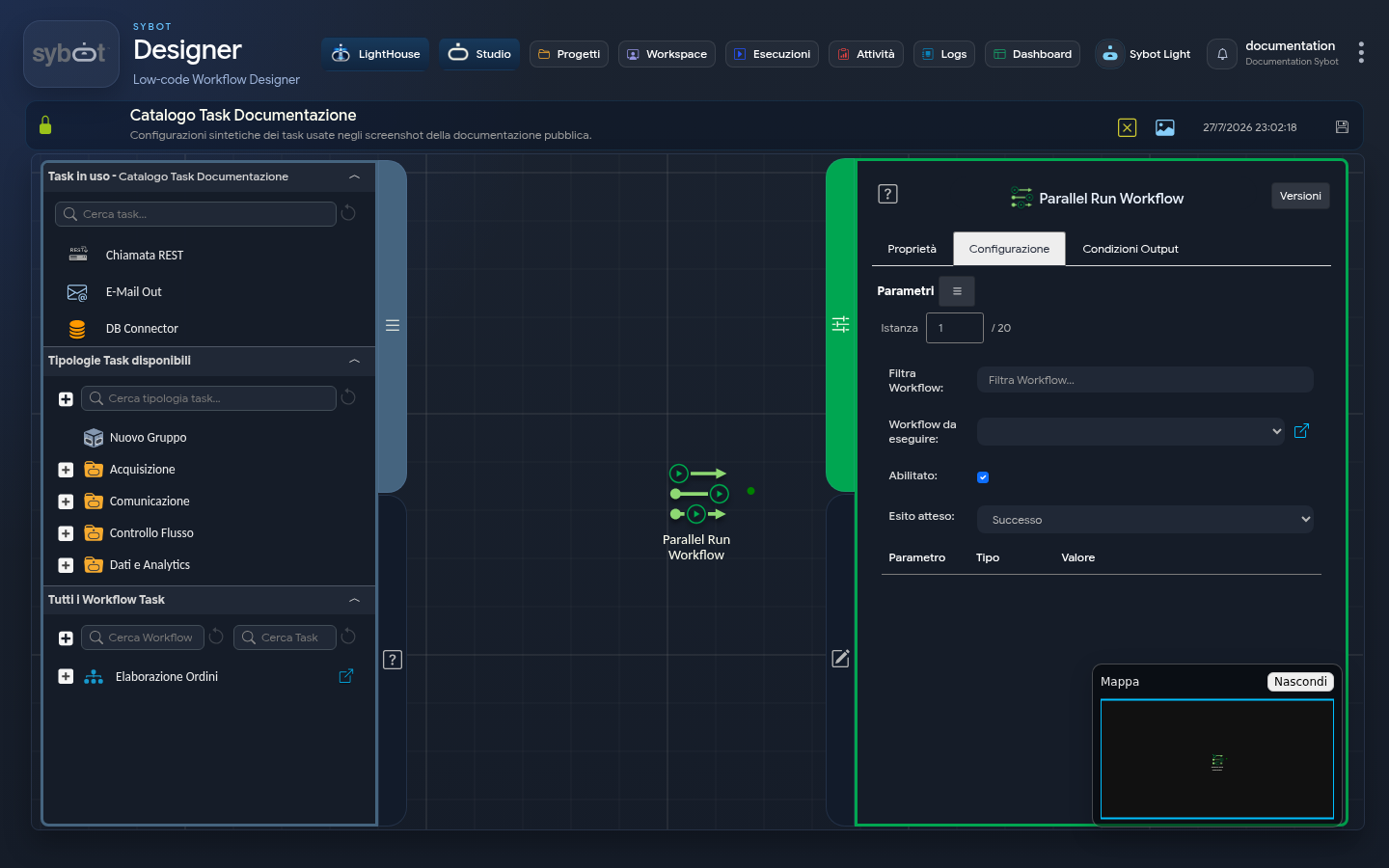
The Parallel Run Workflow task is a powerful orchestrator that enables you to launch and execute multiple child workflows in parallel. Unlike the "Run Workflow" task, which executes a single workflow, this task acts as a "hub", allowing you to start up to twenty workflows simultaneously and wait for their completion.
This feature is crucial for scenarios where multiple independent operations need to be performed concurrently, optimising execution times and managing complex workflows.
Configuration
The main configuration is a dynamic list where each row represents a child workflow to be executed in parallel.
- Instance: The number of child workflows to execute in parallel. The maximum limit is 20 instances.
For each instance, you can define a different child workflow.
- Workflow to Execute: Allows you to select, from a list of available workflows (based on user permissions), the instance to execute.
- Enabled: Allows you to enable or disable the execution of this specific instance. If disabled, the instance will be ignored during parallel workflow execution.
- Expected Outcome: Defines the expected result for this instance and its impact on the final outcome of the "Parallel Run Workflow" task.
Parameter Configuration (for each instance)
Below the configuration of each child workflow, there is a section to specify the parameters that must be passed to that specific instance.
- Parameter: The name of the parameter as defined in the selected child workflow.
- Type: The data type of the parameter (e.g., String, List of Values).
- Value: The value can be set manually (e.g.,
123,"Error") or via workflow parameters and variables.
The parameters available in this area derive exclusively from the parameters declared in the child workflow: only parameters previously defined in the child workflow can be set in this section.
Output Parameters
- executionLogData: A structured parameter (JSON) containing a detailed report for each executed instance, including the workflow name, execution ID, and its final result.
- resultJson: Represents the result of the task execution in JSON format, including general information, configurations, and execution details.
- resultJsonTarget: Represents the result of the child workflow execution in JSON format, including general information, configurations, and execution details.
Important Note
- Only workflows that are not locked for editing at the time of execution can be run.
- The parent workflow will resume its execution only after all child workflows have completed their work.