Parallel Branches
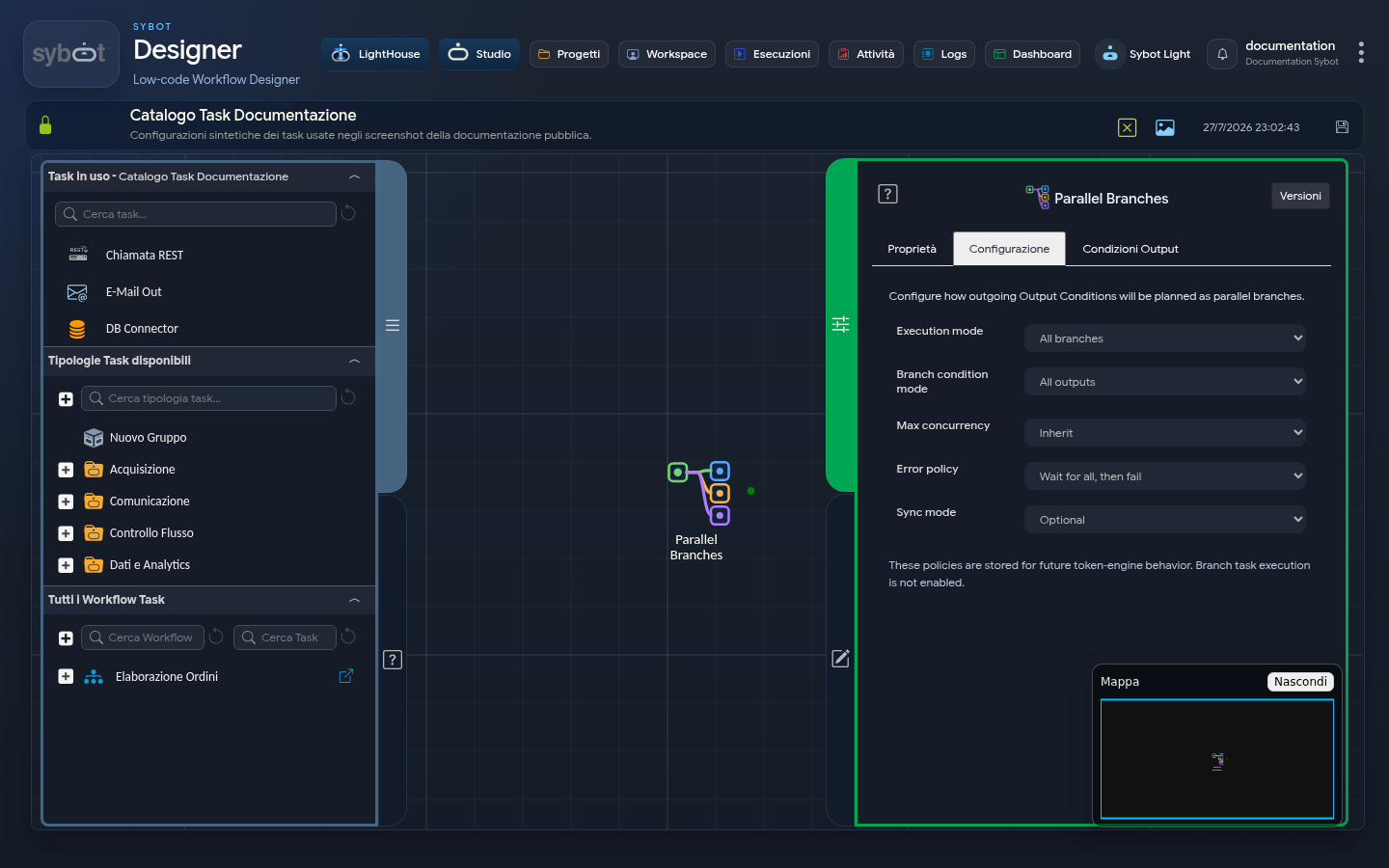
The Parallel Branches task defines how multiple exit conditions are to be scheduled as parallel branches.
:::caution Status in version 2.0 The current interface allows saving policies, but indicates that task execution in branches is not yet active. Do not use this task in operational workflows until the feature is made available. :::
Configuration
| Field | Purpose |
|---|---|
| Execution mode | Defines the set of branches to consider. |
| Branch condition mode | Establishes whether to consider all exits or those based on conditions. |
| Max concurrency | Sets the expected concurrency limit. |
| Error policy | Defines the expected behaviour in case of a branch error. |
| Sync mode | Indicates whether common synchronisation is required. |
The options represent the planned behaviour and can be updated as the feature evolves.
Prepare a test diagram
- Add Parallel Branches.
- Define output conditions.
- Connect the demonstration paths.
- Add an optional Sync Branches.
- Save the configuration.
Do not consider the diagram executable as long as the interface continues to show the unavailability notice.