Iterator v.2
- Task type:
iterator_v2
Description
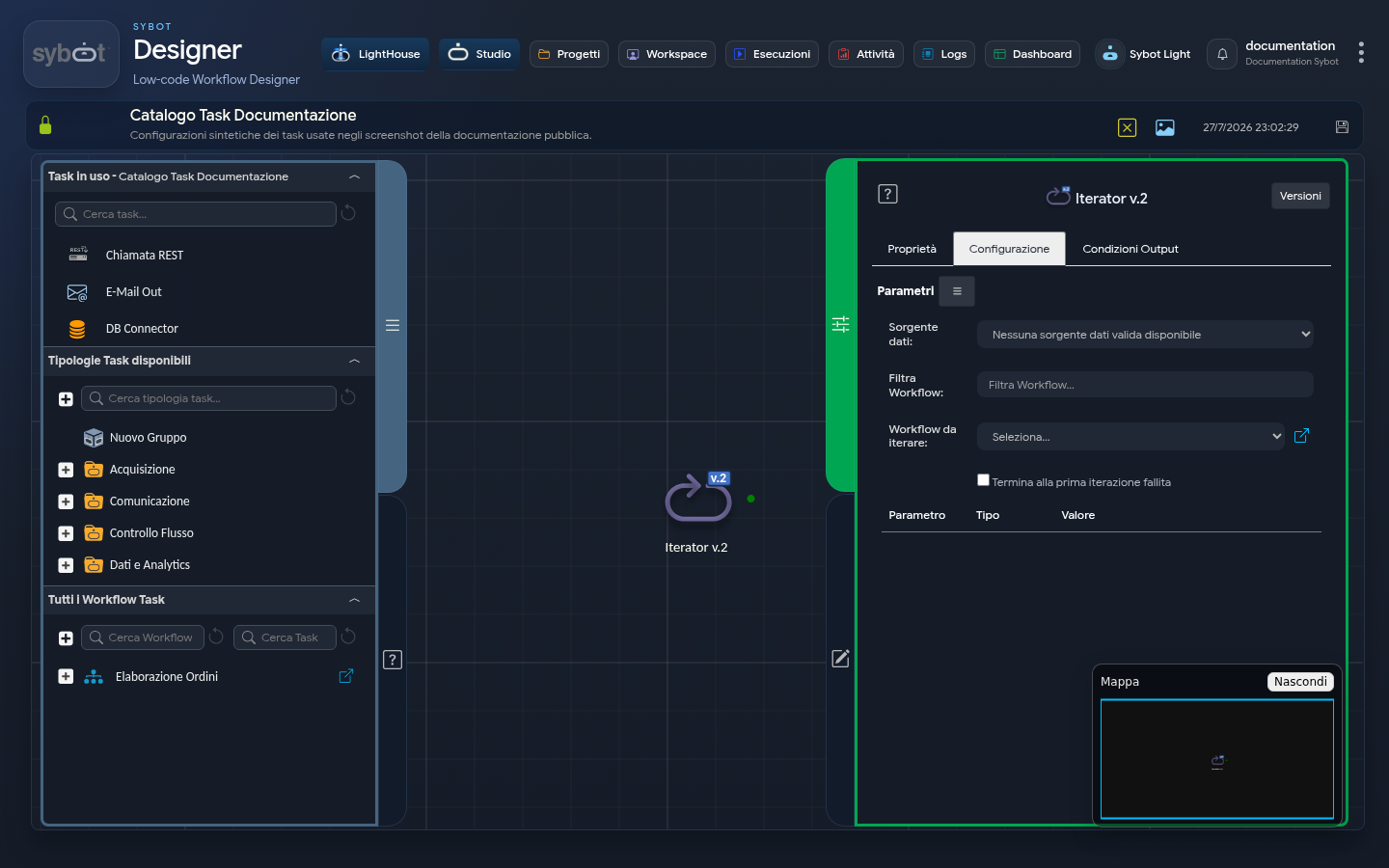
The "Iterator v.2" task allows you to cyclically execute a child workflow by iterating over a dataset obtained from an upstream task. Unlike the standard "Run Workflow" task, this task repeats the execution for each individual row present in the selected data source.
Configuration Parameters
- Data Source: A menu (dropdown) listing compatible tasks present in the workflow.
- Requirements: The menu is populated only with tasks of type JSON to Table, XML to Table, CSV to Table, or DB Connector.
- If no tasks of this type are present among the preceding ones, the menu will show the option:
No valid data source available. - Filter Workflow: A text search field to filter the list of workflows to which the user has access.
- Workflow to Iterate: A menu (dropdown) to select the child workflow to be executed at each iteration.
- Stop at First Failed Iteration: If enabled, the iterator stops immediately if one of the child workflows returns an error, without processing the remaining rows.
- Parameters Table (Parameter / Type / Value): Section for configuring the inputs of the child workflow.
- Flexibility: The user can enter static or dynamic values.
- Using Dataset: To pass the data of the current row to the child, use tags related to the dataset columns (e.g.,
#>XML to Table.Dataset.column_name<#).
Execution Logic and Runtime
- Extraction: The task retrieves the
Datasetfrom the selected source task.- Iteration: For each row of the
Dataset, the selected target workflow is executed.- Override: The parameters of the target workflow are overwritten with the values defined in the parameters table.
Output Parameters
- result: Textual description of the outcome (e.g.: All iterations completed successfully).
- targetWorkflowId: Unique ID of the selected child workflow.
- targetWorkflowName: Name of the selected child workflow.
- Dataset.Count: Total number of records found in the source.
- Iterations.Total: Number of iterations actually executed.
- Iterations.Success: Count of child workflows terminated successfully.
- Iterations.Failed: Count of child workflows failed.
- resultJSONtarget: Serialized JSON string containing the array with the complete reports of each individual iteration.
- exitStatus: Status code (0 = Success).
Example resultJson
{
  "run_info": {
    "status": "Completed",
    "run_result": "Success"
  },
  "output_parameters": {
    "exitStatus": "0"
  }
}