E-mail Out
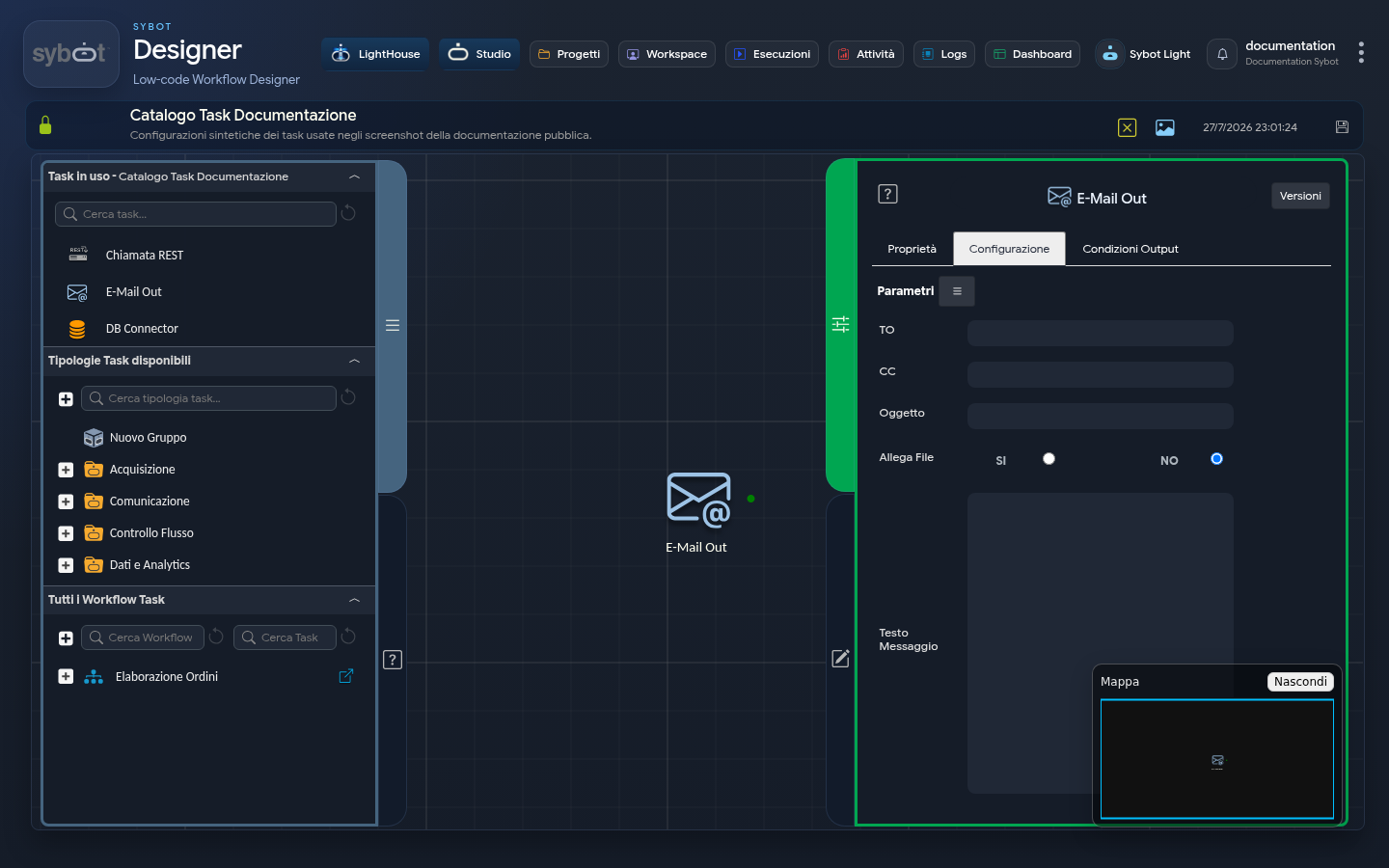
Type task: email
The E-Mail Out task allows you to send e-mail messages within a workflow.
This task, named E-Mail Out, represents a previous version of the e-mail sending task. We recommend using the latest version, "E-Mail Out v.2", which offers a more complete and modern configuration.
Configuration
The configuration tab allows you to define the content and recipients of the e-mail to be sent.
- TO: Field to enter the main recipient's address. You can specify multiple recipients by separating the addresses with a comma or a semicolon.
- CC: Field for carbon copy recipients. You can also enter multiple addresses here, separated by a comma or a semicolon.
- Subject: The e-mail subject.
- Attach File: A selector to indicate whether the e-mail should contain an attachment.
- Message Text: The text area to compose the body of the e-mail message.
These fields can be populated manually or via workflow parameters and variables.
Output Parameters
The E-Mail Out task exposes a series of output parameters that can be used in subsequent tasks in the Diagram.
- to: Returns the list of main recipients.
- cc: Returns the list of carbon copy recipients.
- subject: Returns the subject of the sent e-mail.
- body: Returns the body of the sent message.
- result: Indicates the outcome of the operation performed by the Task.
- resultJson: Represents the result of the task execution in JSON format, including general information, configurations, and execution details.
Example resultJson parameter
{
  "run_info": {
    "status": "Completed",
    "run_result": "Success"
  },
  "output_parameters": {
    "exitStatus": "0"
  }
}