E-Mail In
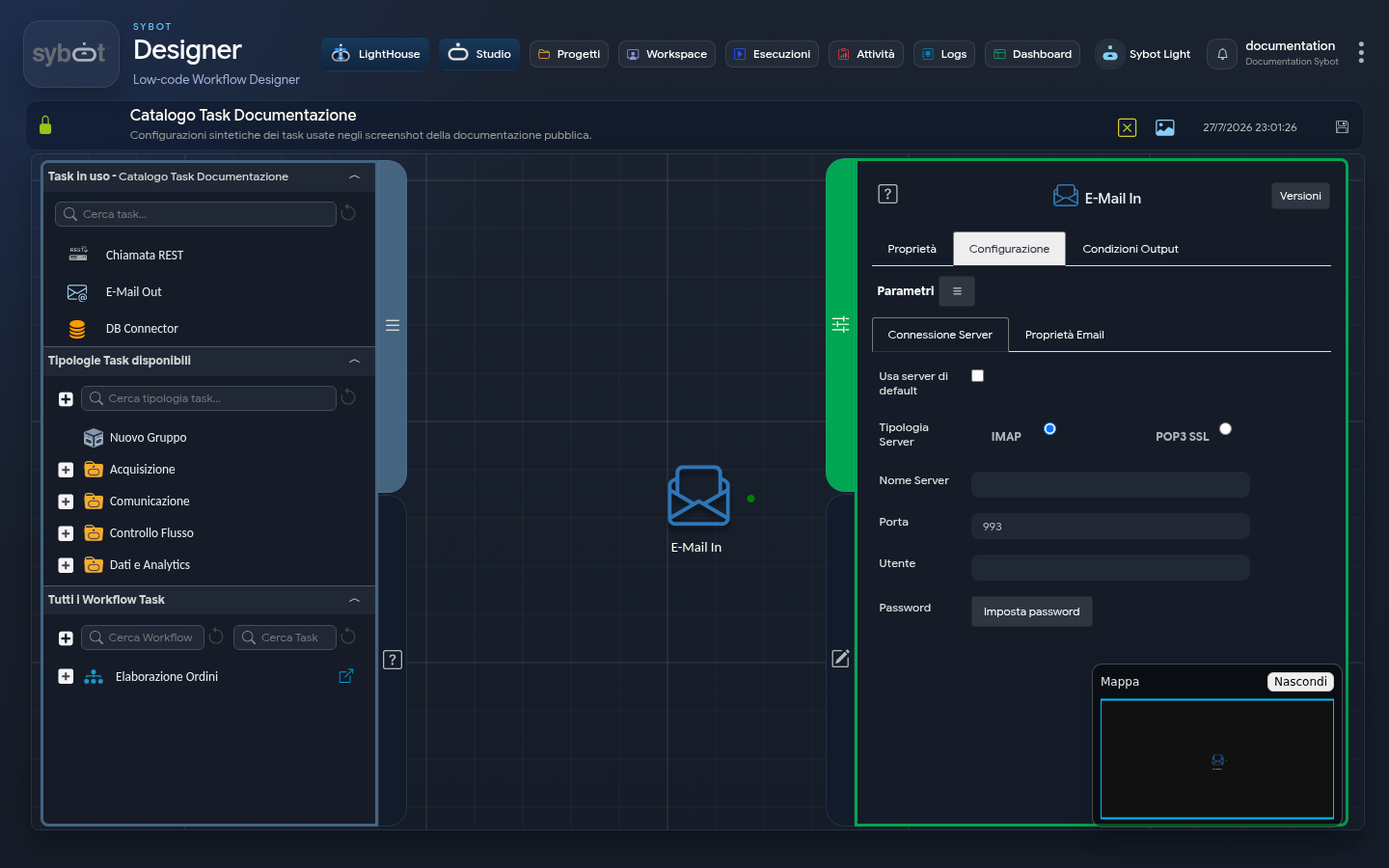
The E-Mail In task acts as a "listener" or "monitor" for an email inbox. Its function is to connect to an email account and search for a specific message that meets certain criteria (sender, subject, etc.).
This task is fundamental for starting or continuing a Workflow based on the arrival of a specific communication, for example, to automate processes triggered by an email request, such as receiving an invoice, an order, or a report.
Configuration
The task configuration is divided into two tabs: the server connection and the email search filters.
1. Server Connection
This section defines the parameters for connecting to the email inbox from which to read messages.
- Server Type: Allows you to choose the protocol for receiving mail.
- IMAP (Internet Message Access Protocol)
- POP3 SSL (Post Office Protocol 3 - Secure)
- Server Name: The address of the incoming mail server.
- Example for Gmail (IMAP): imap.gmail.com
- Example for Gmail (POP3): pop.gmail.com
- Port: The communication port with the server, which depends on the chosen protocol.
- Example for IMAP (with SSL/TLS): 993
- Example for POP3 SSL: 995
- User: The full email address of the account to connect to.
- Example: automazioni.aziendali@gmail.com
- Password: The password to access the account. For services like Gmail, you must use a specific "App Password" and not the main account password.
2. Email Properties
This section is used to define search criteria. The task will look for the first unread email that matches all specified filters.
- From: Filters emails based on the sender. Leave blank to accept emails from any sender.
- Example: report.contabilita@miaazienda.com
- Email Subject(*): Filters based on the email subject. The asterisk (*) indicates that this field is mandatory.
- Example: Weekly Sales Report - Week 34.
- Email Body: Allows you to search for a specific phrase or keyword within the message body.
- Example: Attached is the final report
- Attempts: The number of attempts the task will make to find the email before timing out.
- Example: 10 (the task will try to search 10 times).
- Wait: The time (in seconds) to wait between one attempt and the next.
- Example: 60 (the task will wait 60 seconds between each attempt).
- Save Attachments: If this checkbox is selected, all attachments present in the found email will be downloaded and made available for subsequent tasks in the workflow.
Output Parameters
Once the task finds an email that matches the criteria, it extracts the information and exposes it as output parameters:
- from: Contains the email address of the sender of the found message.
- subject: Contains the full subject of the found email.
- body: Contains the full text of the email body.
- result: Indicates the outcome of the operation.
- resultJson: represents the result of the task execution in JSON format, including general information, configurations, and execution details.
- Attachments.file*:* the full path of the attached file
- Attachments.filename: the name of the attachment