Welcome to Sybot
Sybot is a low-code platform for designing, organising, running and monitoring digital processes. It brings together automation, BPMN modelling, data integration, operational interfaces, analytics and document knowledge in a single environment.
Access and providers
On the login page, a Provider dropdown may be present. The available options depend on your installation configuration and may include the local Sybot account or the corporate identity system.
With a credentials-based provider, select the correct option and enter your username and password. With a provider that uses corporate login, the button proceeds to the organisation's authentication page and then automatically returns you to Sybot. Roles, profiles and visible features are synchronised according to the assigned authorisations.
If the expected provider does not appear or corporate access is unavailable, do not repeatedly try different credentials: contact the installation administrator specifying the selected provider and the message shown, without disclosing your password.
Session duration
The session may end after a period of inactivity or upon reaching the maximum duration set by the administrator. In either case, new requests from the page cannot proceed and Sybot returns to the login screen, showing the reason for the disconnection. Before leaving an editor inactive, save any changes you wish to keep.
While navigating, Sybot checks the session and permissions using local application data. A corporate provider is contacted again only when new authentication is required; any automatic access depends on the session still being active with the organisation's provider.
Where to start
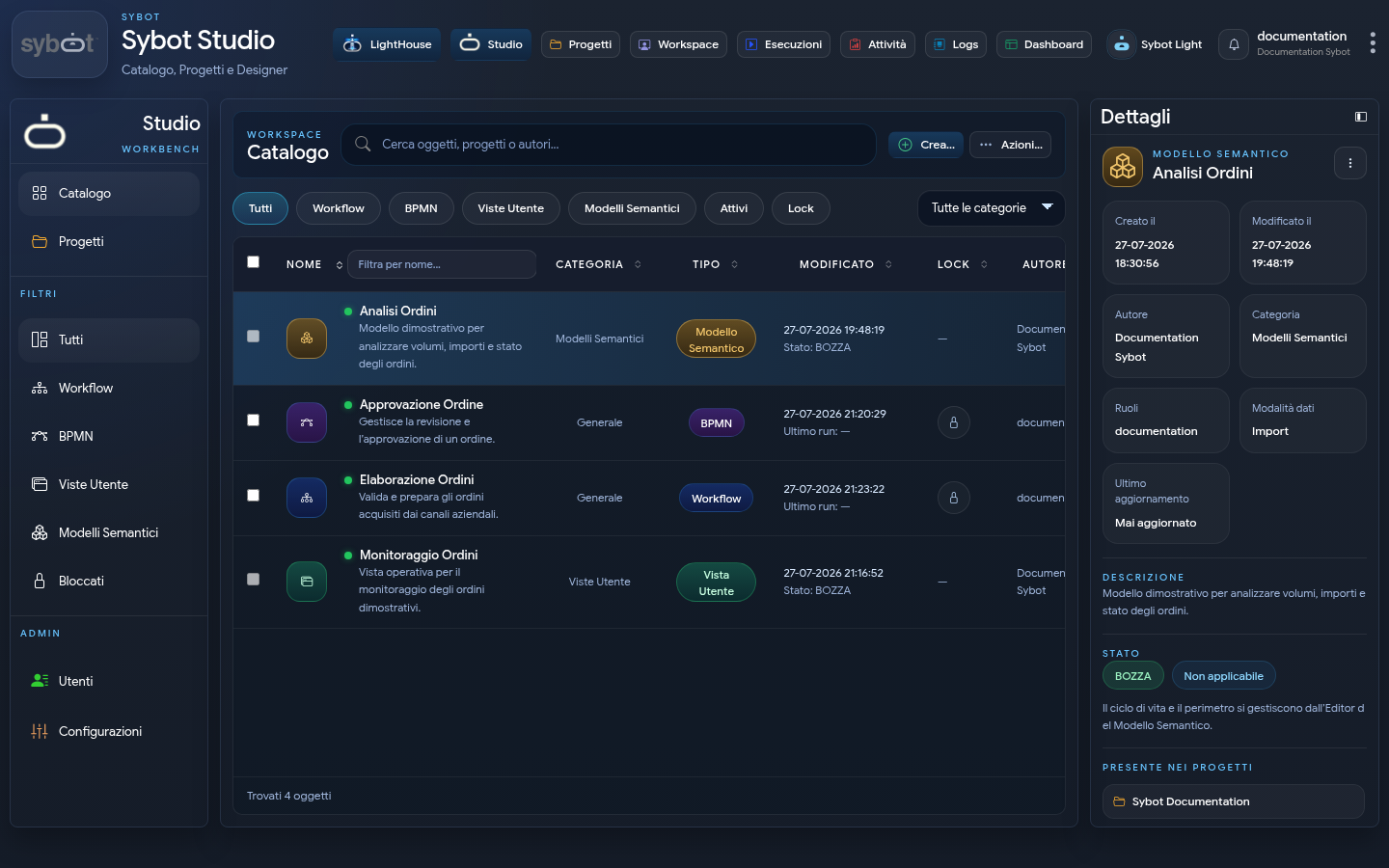
The starting point is Sybot Studio. The Catalog collects the objects that the user can consult based on their permissions:
- Sybot Workflows, for low-code automations based on tasks;
- BPMN, for modelling processes;
- User Views, for operational interfaces and dashboards;
- Semantic Models, for organising and querying data;
- Projects, for grouping objects, members and responsibilities.
The features actually visible depend on the enabled modules and the user's profile.
Creating, importing, exporting and modifying objects takes place in the Designer Workbench, which keeps editors in internal tabs.
What it enables
Design and orchestrate
The Workflow Designer allows you to compose processes by dragging tasks into the diagram, configuring their parameters, exit conditions, dependencies and error handling. Tasks are available for files, data, communications, APIs, remote systems, AI, LightHouse, User Views and Semantic Models.
Integrate data and applications
Workflows can acquire, transform and distribute data via databases, REST and SOAP APIs, structured files, email and connections prepared by administrators.
Engage users
Human tasks and User Views allow you to complement automations with verification, approval and consultation activities. BPMN processes offer an additional level of modelling for collaborative flows.
Work with knowledge and data
LightHouse organises documents, images, collections and content generation. Semantic Models make entities, relationships and measures reusable. Sybot Light provides contextual assistance and access to the Document Library.
Run and monitor
The Executions, Logs, Activities and Dashboard areas allow you to start workflows, schedule them, follow the status of executions, analyse individual tasks and intervene on assigned activities.
Recommended path
- Open Sybot Studio to browse the Catalog.
- Review the organisation of Projects.
- Open the Designer Workbench and create a New Workflow.
- Learn how to use the Workflow Designer.
- Read more about Workflows and start with flow control tasks.
- Consult Executions and Logs for monitoring.
Usage principles
- Use recognisable names and descriptions.
- Associate objects with the correct projects and roles.
- Test workflows with non-sensitive data before operational use.
- Verify exit conditions, error paths and results.
- Do not include passwords, tokens or secrets in names, descriptions or shared messages.