Workflow Designer
Introduction to the Workflow Designer
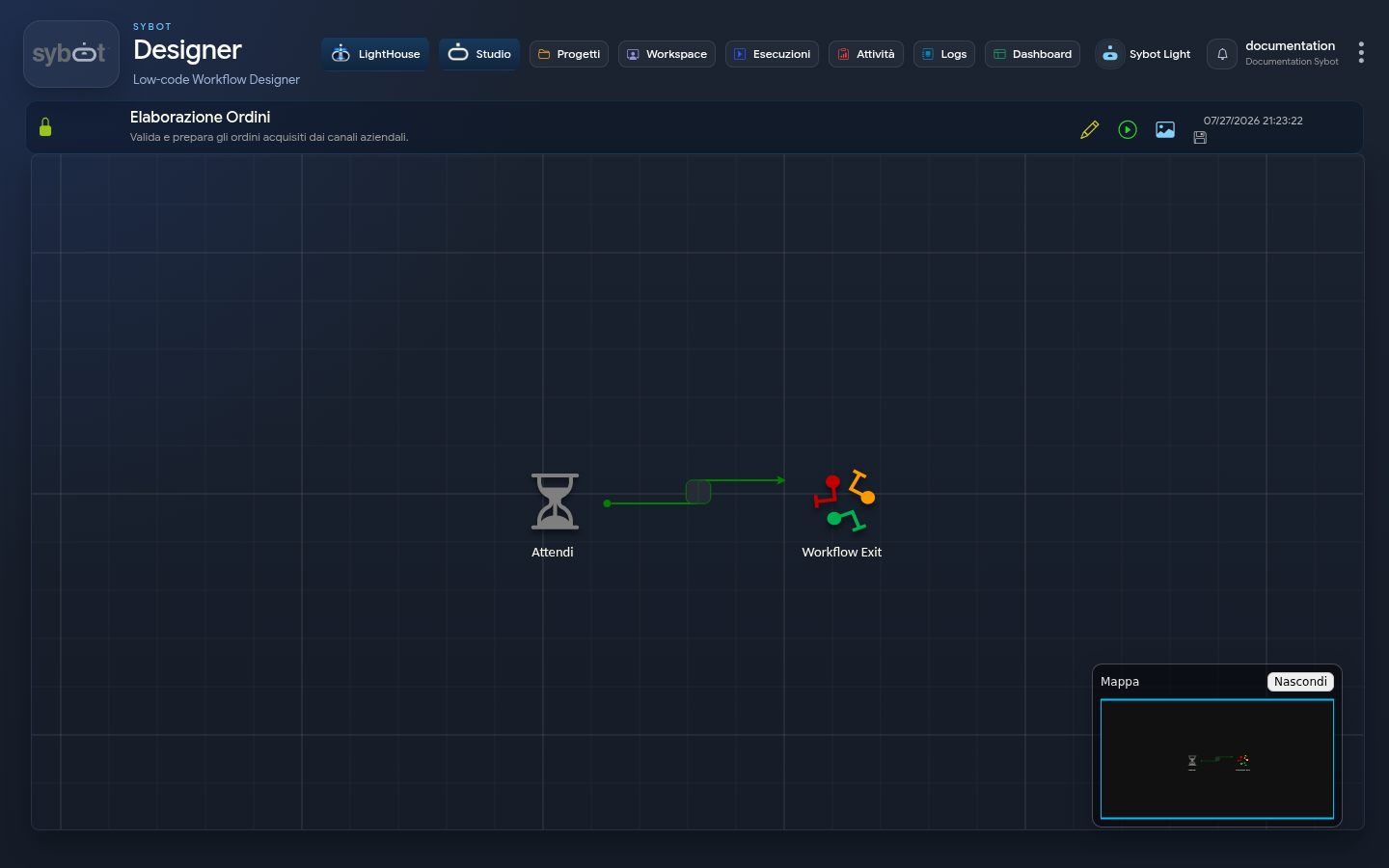
The Workflow Designer is the integrated development environment of the Sybot platform, designed for the graphical modelling, configuration and management of automation processes. This visual interface allows you to define the logic of a process by assembling and connecting pre-defined functional components (Tasks), without the need to write programming code.
The designer's architecture is divided into three main functional areas.
Central workspace (The Diagram)
This is the primary space, or "canvas", where the visual and logical representation of the process is built. Interaction occurs through the positioning of Tasks and the tracing of connections between them, modelling the execution flow that the Workflow will follow.
The main elements that make up the diagram are:
- Tasks: Each icon on the diagram represents a Task, that is, an atomic work unit that performs a specific operation. Their arrangement and connection define the architecture of the process.
- Conditions: The arrows connecting Tasks are the Output Conditions. They not only define the execution order, but also represent the decision logic of the flow. Their visual appearance provides immediate information:
- Colour: The colour of the arrow indicates the nature of the condition. For example: green represents a success path (Default), while red indicates a predicted failure path (KO).
- Label: Each connection has a label (Name) that describes its purpose (e.g. to_import, conn_ko), improving the readability of the diagram.
- Groups: Visual containers that allow you to logically group Tasks. The use of groups is fundamental in complex processes to separate different phases (e.g. "Data Acquisition", "Processing", "Error Management"), drastically improving the organisation and understandability of the diagram.
Left sidebar (Component Library)
This panel acts as a component library, from which you can drag elements onto the diagram. It is organised into the sections "Tasks in use" (Tasks already present in the process), "Available Task Types" (the complete library of all available Tasks) and "All Workflow Tasks" (to reuse Tasks from other processes).
The detailed functioning of this panel is covered in the chapter "Using Tasks in the Workflow".
Right sidebar (Properties)
This contextual panel is activated by selecting an element in the diagram and is used for its configuration. If no Task is selected, it shows the general properties of the Workflow. By selecting a Task, the panel allows you to define every aspect of it through three tabs: "Properties" (for metadata), "Configuration" (for operational input parameters) and "Output Conditions" (for outgoing flow logic).
The mode of use and configuration of its components is described in detail in the chapter "Using Tasks in the Workflow".
Connection availability
The Designer checks the necessary connection for operational functions before making them available. If the connection cannot be authenticated, a panel indicates the issue and the ongoing automatic retry: requests are not sent with missing credentials. If the message persists, note the service tag shown and contact technical support.
When the Sybot session expires, attempts are interrupted and the application returns to the login page. After a new authentication, the Designer automatically requests updated connection credentials.