Configuration Management
Administrative configurations are opened from Sybot Studio:
- select Studio in the top bar;
- in the sidebar, locate the Admin area;
- select Configurations.
The page is available to users with the ROLE_ADMIN and ROLE_SUPER_ADMIN roles. The Parameters and Data Purging sections are reserved for ROLE_SUPER_ADMIN only and are not shown to standard administrators.
Available Areas
Roles
Roles group users and functional permissions. From this section, administrators can view, create, and remove available roles.
Before deleting a role, verify that it is not still in use by users, workflows, projects, or other objects.
Categories
Categories help organise and filter workflows in the Catalogue. Use short, non-duplicate names that are consistent with the adopted organisation.
Connections
Connections set up by administrators can be selected in compatible tasks. For user-side management, see Connections.
Public documentation does not report endpoints, credentials, tokens, or other installation-specific details.
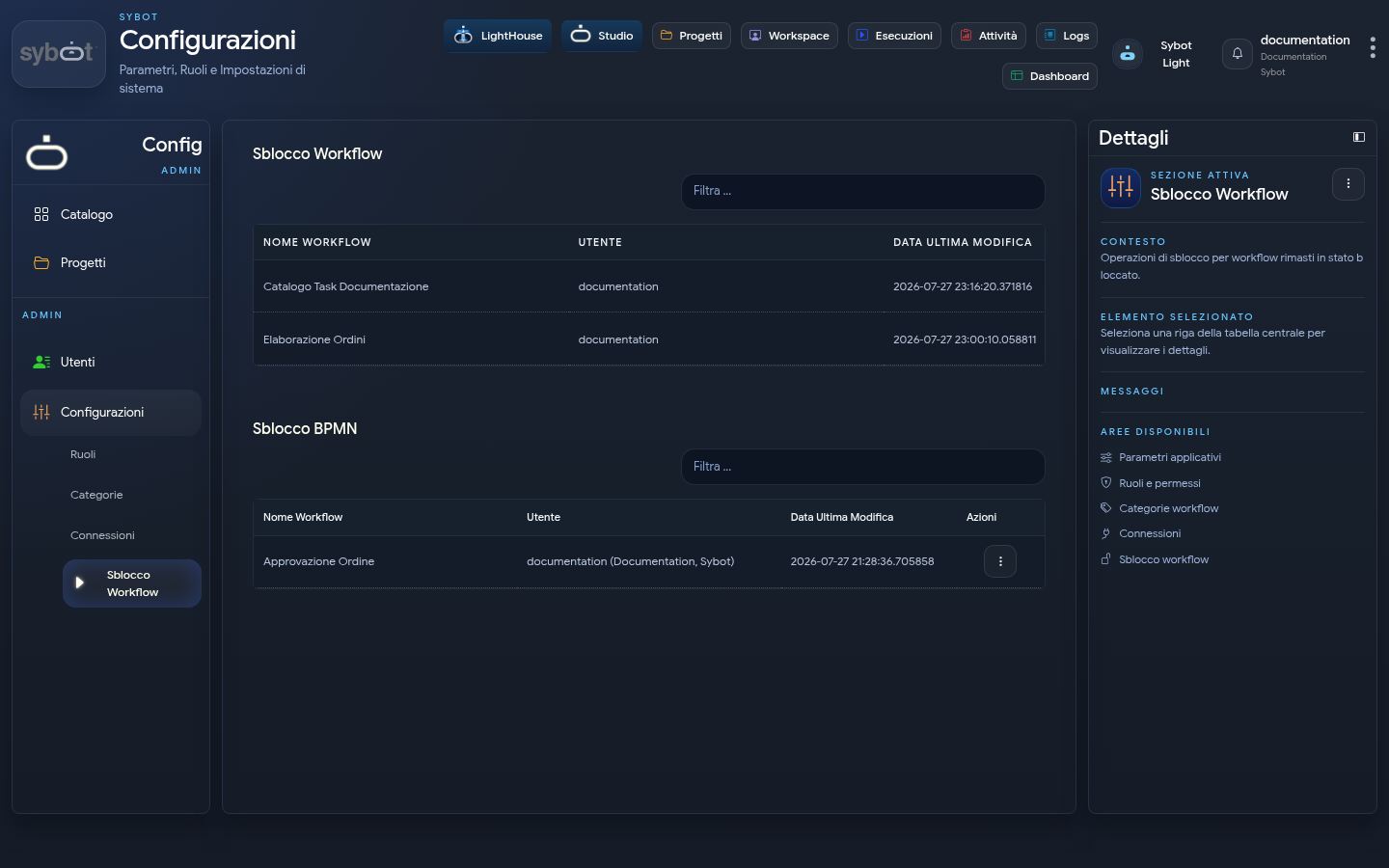
Workflow Unlock
Shows workflows that remain locked in edit mode and allows an authorised user to force their unlock. Consult Workflow Lock before intervening.
Other Administrative Functions
Depending on the profile and available modules, further sections may appear. Use them only according to the procedures defined by your organisation.
Administrative changes can affect multiple users and processes. Always verify the scope of the operation and do not enter sensitive data into names, descriptions, or shared screens.